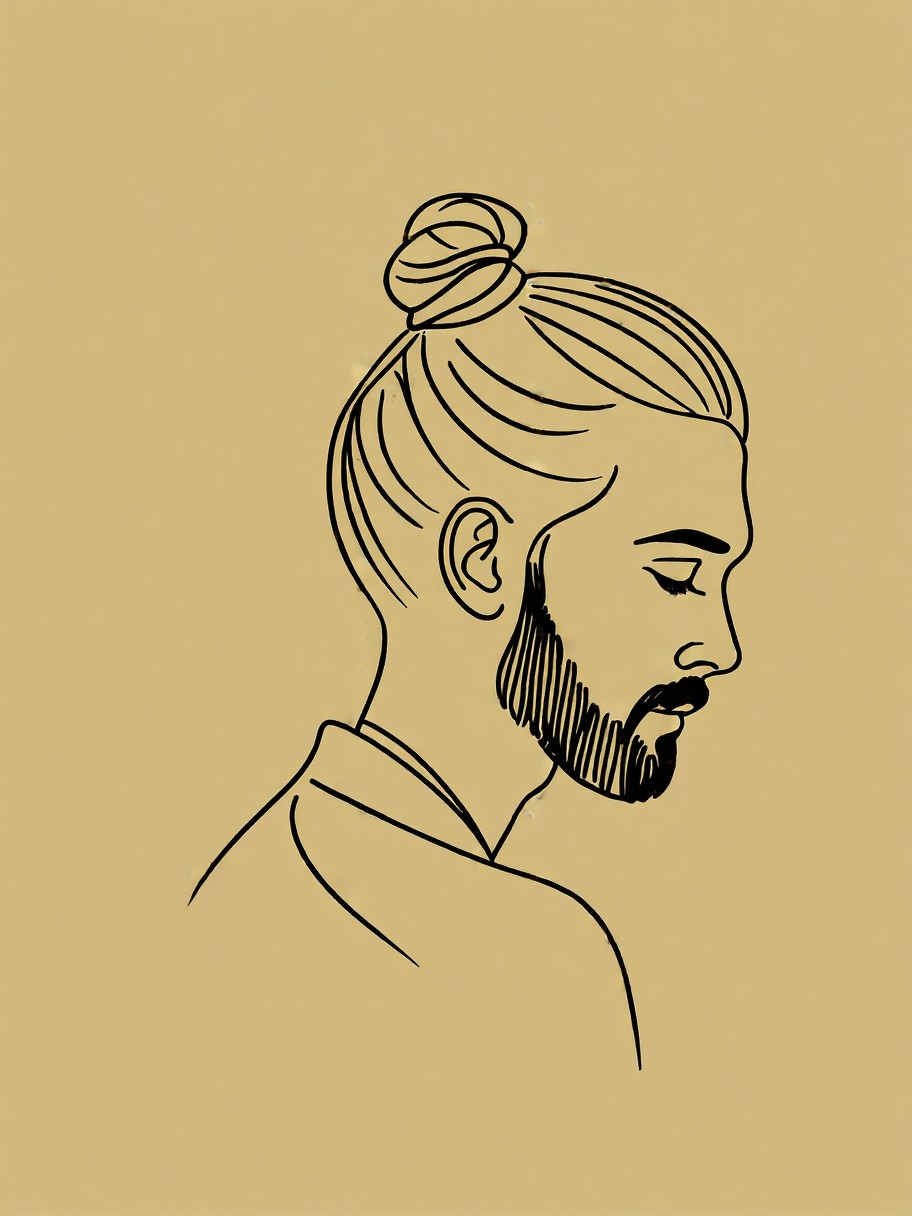
Continuous Line Elegance: The Minimalist Man in Profile
A single unbroken line curves through beard hairs, traces the slope of a bun, and defines a face with geometric precision — this isn't just a portrait, it's a visual manifesto of minimalism. The Z-Image Base model transforms this stark instruction into a sleek, modern avatar that feels simultaneously hand-drawn and algorithmically perfect. The beige background isn't just empty space — it's a canvas that lets the line work speak for itself, like a monochrome sculpture in a minimalist gallery.
The profile orientation is key here — it's not a full-body shot or a dramatic angle, but a direct, unflinching gaze that works perfectly as a digital identity. At 8k resolution, every subtle variation in line weight becomes a deliberate design choice, turning what could be a simple sketch into a high-fidelity statement piece.
For Developers, Designers, and Digital Identities
This avatar style thrives in professional contexts where visual simplicity is paramount: developer profiles, creative agency logos, NFT identities, and even corporate mascots. The 1:1 square format (1024×1024) makes it ideal for social media avatars and app icons, where every pixel counts.
While the model handles line art exceptionally well, avoid adding too many descriptive adjectives — the minimalist approach relies on the precision of the single continuous line. For best results, keep the prompt focused on structure rather than texture.
Optimal Settings for Z-Image Base — Balancing Precision and Flow
Z-Image Base excels at photorealistic rendering but handles line art with surprising elegance when parameters are tuned correctly. Start with guidance_scale=3.5 to maintain sharpness without over-sharpening the line work.
- Steps: 30 for full 8k detail; 12 steps if you're testing composition
- Resolution:
1024×1024(1:1 square) — essential for profile consistency - CFG Scale:
3.0–3.5— too high and the line may fracture; too low and details soften
For the most fluid line work, try guidance_scale=3.2 with 25 steps — it gives the model room to maintain the continuous line without overthinking the details.
Five Creative Variations for This Line Art Style
Targeted Prompt Tweaks to Explore
- Line style variation: Replace "single continuous line style" with "dashed line style" — creates a more dynamic, rhythmic feel while keeping the minimalist ethos
- Feature addition: Add "glasses with subtle reflections" — introduces complexity without breaking the minimalist framework
- Background twist: Change "beige background" to "gradient from beige to soft gray" — adds depth while maintaining visual restraint
- Abstract shift: Add "stylized, with exaggerated facial features" — transforms the portrait into a more expressive, almost symbolic image
- Cultural reimagining: Replace "modern and elegant" with "traditional Japanese ink painting style" — bridges minimalist line work with cultural heritage
Two Prompts Ready to Generate
Apply two of the variations above directly — both are optimized for Z-Image Base at the settings recommended above.
Variation: Dashed line style for dynamic rhythm — maintains minimalism while adding visual interest through line variation
Minimalist line art avatar of a man with beard and bun, dashed line style, beige background, modern and elegant, profile picture style, 8k, 1024x1024 resolution
Variation: Traditional Japanese ink painting style — bridges minimalist line work with cultural heritage through brushstroke techniques
Minimalist line art avatar of a man with beard and bun, traditional Japanese ink painting style, beige background, elegant and serene, profile picture style, 8k, 1024x1024 resolution
Explore Similar Line Art Avatars
Other prompts in this category explore different expressions of minimalist line art — from playful to professional: