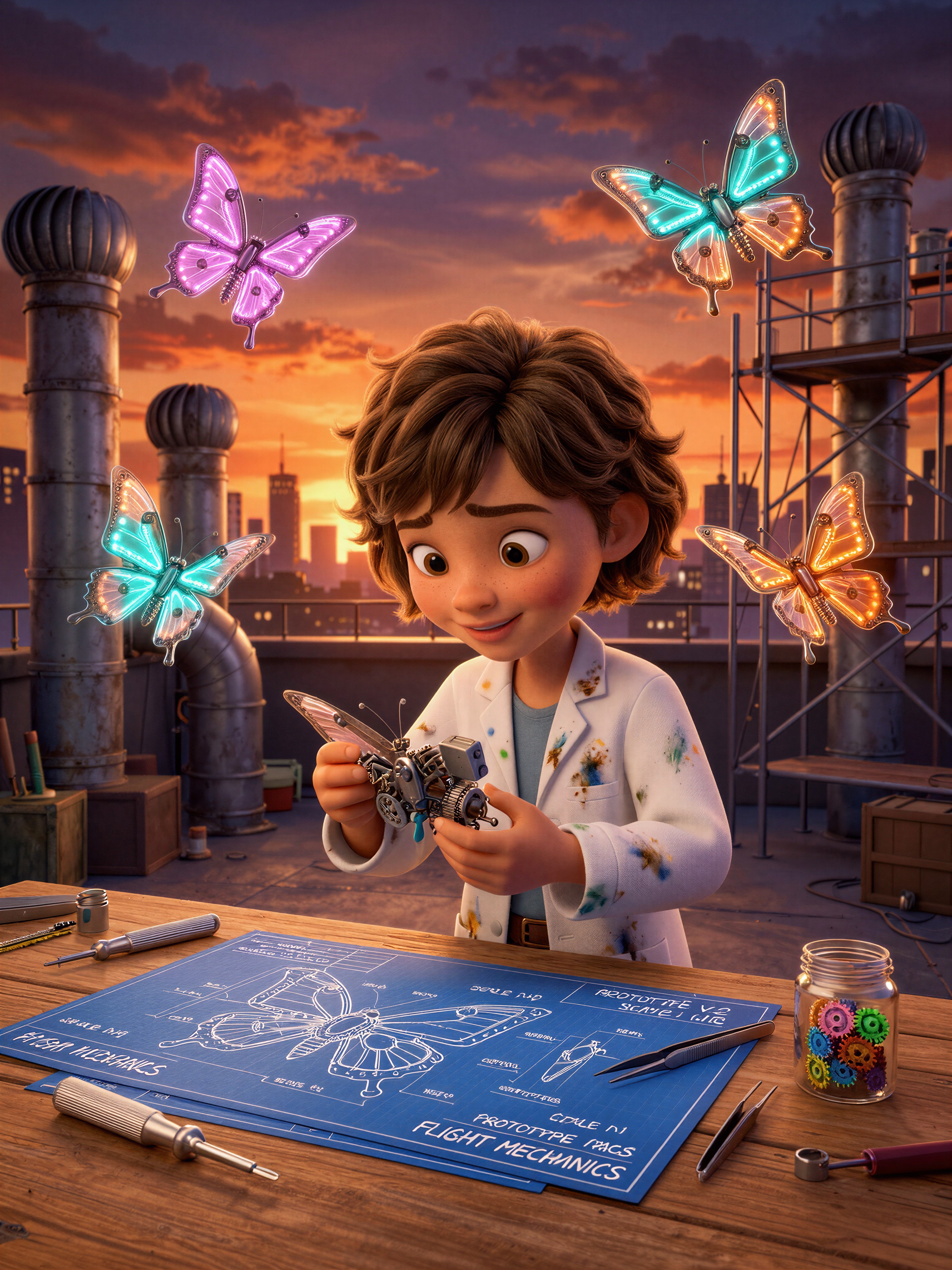
Neon Wings Against Amber Sky: The Light Design Behind This Inventor Scene
The most arresting detail in this scene is the collision of two light sources: the warm amber of a rooftop sunset and the cold neon glow emanating from mechanical butterfly wings. That tension — organic warmth against synthetic coolness — is what gives the image its Pixar-style emotional pull. The young inventor girl sits at the center of a cluttered workshop, surrounded by scattered blueprints and tools, her face rendered with that signature exaggerated expressiveness that makes 3D animation characters feel alive. The mechanical insects aren't static; they're mid-flight, wings catching both the sunset and their own bioluminescent glow, creating a layered lighting effect that rewards close inspection. The rooftop setting keeps the composition grounded in a real-world space even as the futuristic workshop contents push it into fantasy territory.
Animated Film Frames, Children's Book Spreads, and Poster Art
If you're storyboarding a short animated film or pitching a concept for a children's picture book, this prompt gives you a ready-made hero shot — a single frame that communicates character, setting, and tone all at once. The cinematic storytelling composition means the output reads like a keyframe, not a random still.
It also works well as a poster or book cover: the vertical 3:4 crop frames the girl and her butterflies in a natural portrait orientation, while the 16:9 landscape version stretches the rooftop into a wider establishing shot. For social media thumbnails or YouTube end-cards, the saturated neon wings against the sunset give you instant visual pop at small sizes.
Tuning Ernie-Image Turbo for Stylized 3D Output
Ernie-Image Turbo is built on an advanced Diffusion Transformer architecture and is explicitly tuned for stylized content — posters, comics, and 3D-rendered scenes like this one. Because it's a fast model, it doesn't need the high step counts that slower pipelines demand, and its guidance behaviour rewards clear, specific prompts over heavy cfg_scale pushing.
- CFG / Guidance:
4.0–5.0— enough to lock in the Pixar-style rendering without flattening the soft sunset gradients; go above 5.5 and the neon wings start to clip - Steps: 20–25 is the sweet spot for this model; 15 works fine for quick composition checks, 30 for final output
- Resolution:
1080×1440(3:4 portrait) for the hero shot;1344×768(16:9) if you want the rooftop to stretch into a wider cinematic frame
Because Ernie-Image Turbo is a speed-first model, resist the urge to stack redundant quality words. "Masterpiece quality, 8k" in the prompt is fine, but adding "ultra-detailed, hyper-realistic, award-winning" on top just wastes tokens without improving the stylized render.
Five Concrete Tweaks to Push This Scene Further
Targeted variations for the inventor-girl-and-butterflies concept
- Swap the insects for a different creature: Replace "mechanical butterflies" with "mechanical hummingbirds" — the wings become more angular and the flight pattern more dynamic, shifting the mood from gentle to energetic
- Move the time of day: Change "sunset" to "midnight, city lights below" — the workshop becomes a secret hideout, the neon wings become the primary light source, and the whole palette shifts to deep blues and magentas
- Add a second character: Insert "a small robot dog sitting on a stool, watching the girl work" — immediately adds narrative warmth and gives the composition a second focal point without cluttering the frame
- Shift the workshop location: Replace "rooftop workshop" with "inside a decommissioned lighthouse, glass panels broken" — the architecture becomes more dramatic and the sunset light enters through jagged gaps instead of open sky
- Lean into the blueprint detail: Add "close-up on her hands, a blueprint pinned to the workbench showing the butterfly's internal gear mechanism" — turns the shot from a wide establishing frame into an intimate detail moment
Two Prompts Ready to Generate
Both examples below apply one of the variations above and are tuned for Ernie-Image Turbo at the settings recommended. Each is under 600 characters and ready to paste.
Variation: midnight city lights — the workshop becomes a secret hideout, neon wings are now the primary light source, palette shifts to deep blues and magentas
Pixar Style, young inventor girl building mechanical butterflies inside a colorful rooftop workshop at midnight, city lights glowing far below, flying robotic insects with neon blue and magenta wings as the primary light source, scattered blueprints and tools on the workbench, deep blue and purple atmosphere, expressive animated face, cinematic storytelling composition, highly detailed stylized 3D movie rendering, 8k
Variation: second character added — a small robot dog on a stool gives the scene narrative warmth and a second focal point without changing the core composition
Pixar Style, young inventor girl building mechanical butterflies inside a colorful rooftop workshop during sunset, a small round robot dog sitting on a wooden stool watching her work, flying robotic insects glowing with neon wings, scattered blueprints and tools, warm golden-hour emotional lighting, whimsical futuristic atmosphere, expressive animated faces, cinematic storytelling composition, highly detailed stylized 3D movie rendering, 8k
More Pixar-Style Scenes Worth Exploring
These prompts live in the same stylized 3D territory — different characters, different moods, but the same emotional storytelling approach that makes animated frames feel like stills from a film you want to watch: