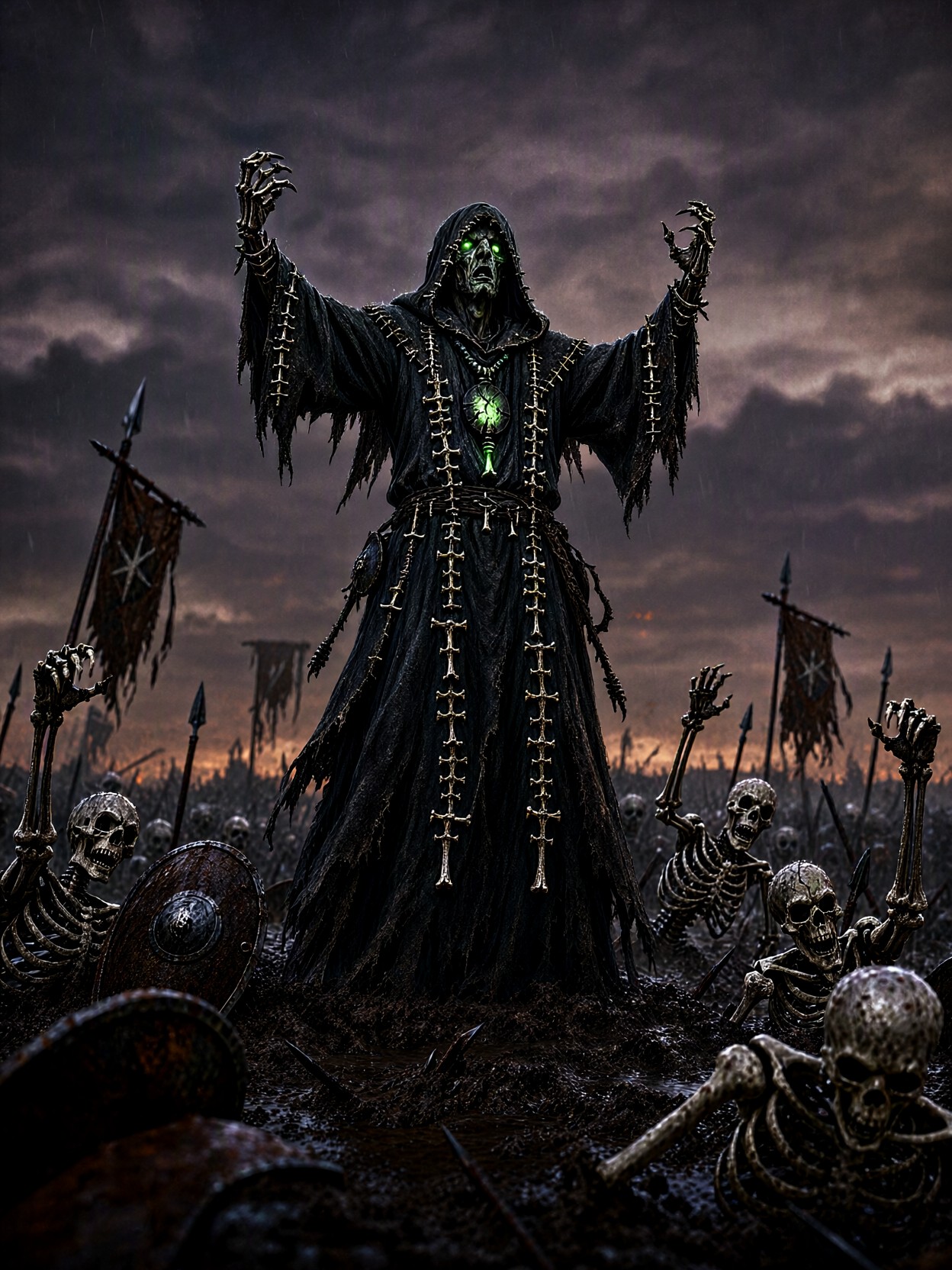
The Sick Green Light of a King of the Dead on a Ruined Battlefield
The sickly green glow emanating from the necromancer's hollow eyes doesn't just illuminate the scene—it tells the entire story of the battlefield's descent. This is not just a character concept; it is the culmination of death and power, where tattered charcoal robes meet the visceral reality of churned mud and rusted banners. Qwen 2.1 excels at capturing this kind of dramatic volumetric lighting, ensuring that every bead of rain, every crack in the bone talismans, and every drop of necrotic light feels hyper-real against the bruised purple sky.
The composition, with its low-angle, full-body shot, forces the viewer to look up at this gaunt figure, emphasizing his dominance over the skeletal horde rising from the muck. The blend of painterly texture with crisp, lifelike detail ensures that even at 2K resolution, the intricacy of his tattered robes and the deep, ashen-grey of the overcast dusk remain sharp and arresting. This image captures the terrifying moment of ultimate power in a dark fantasy world.
Crafting Dark Character Concept Art for Games and Novels
If your project demands high-impact visual storytelling, this prompt is ideal for concept artists, TTRPG designers, and digital painters working in the dark fantasy genre. This specific output works best for character splash art, cinematic key visuals, or detailed character sheets in an RPG like Dungeons & Dragons or Baldur's Gate 3.
For the most cinematic impact, aim for a wider aspect ratio (16:9 or 21:9) to fully encompass the battlefield and the oppressive scale of the sky. If the focus is purely on the character's upper body and the necrotic glow, a 3:4 portrait ratio will work well for close-up character design sheets.
Optimizing Settings for Qwen 2.1 Detail and Lighting
Given that Qwen 2.1 is optimized for crisp detail and lifelike lighting, we want to push the model's creative boundaries while keeping the composition stable. Since this is a complex, high-detail scene, we recommend a high step count.
- Guidance Scale (cfg_scale): 7.0–10.0 — To ensure the necrotic glow and the skeletal claws adhere strictly to the prompt's dramatic intent, a higher guidance scale is necessary for such a complex scene.
- Steps: 30 — Since Qwen 2.1 is capable of high fidelity, use 30 steps to ensure the tattered texture of the robes and the "painted" look of the atmosphere are fully rendered.
- Resolution: Native 2K (e.g., 1024x576 or 1536x864) — Utilize the model's native output capabilities to maximize crispness without excessive upscaling.
Because of Qwen's strength in typography and fine detail, consider adding small, legible inscriptions or runes on the character's amulet to further test and showcase the model's integrated text capabilities.
Creative Prompt Variations for Darker Themes
5 Targeted Variations for This Dark Necromancer
- Shift the environment: Replace "rain-soaked battlefield" with "frozen, wind-swept tundra." This changes the texture from muddy grime to icy crystals and shifts the mood from a bloody skirmish to a supernatural conquest.
- Change the necrotic glow: Replace "faint green necrotic glow" with "flickering cold cerulean blue light." This subverts the traditional green of death and leans into an eerie, eldritch/cosmic horror aesthetic.
- Add mechanical elements: Change "gaunt necromancer" to "cyborg necromancer with exposed chrome limbs." This grounds the fantasy in a "dark sci-fi" or "industrial gothic" setting, altering the visual contrast of the organic robes.
- Change the art style: Replace "painterly texture" with "hyper-detailed photorealistic digital painting." This forces the model away from the brushstroke aesthetic and into a clean, polished, commercial game art style.
- Alter the time of day: Change "dusk" to "a pale, blood-red full moon." This adds a specific, iconic focal point to the sky, providing a secondary, natural light source to contrast with the necromancer's green glow.
Two Prompts Ready to Generate
Here are two complete prompts applying variations of the environment and lighting—perfect for testing Qwen 2.1’s atmospheric rendering skills.
Variation: Frozen conquest — replacing rain with snow and the mud with ice, shifting the setting to a hostile northern wasteland.
Dark fantasy game character concept, a gaunt necromancer in tattered charcoal robes stitched with bone talismans stands atop a frozen tundra at dusk, arms raised as skeletal warriors claw up through packed snow and rusted banners, faint green necrotic glow from his hollow eyes, casting sickly light across ice and frozen spears, overcast sky bruised purple, low ember tones on the horizon, full-body low-angle shot, 35mm lens, shallow depth of field, game character concept art, painterly texture, dramatic volumetric fog, highly detailed, 8k.
Variation: Eldritch cosmic horror — replacing the green glow with an unnatural blue, transforming the scene into something more arcane and alien.
Dark fantasy game character concept, a gaunt necromancer in tattered charcoal robes stitched with bone talismans stands atop a rain-soaked battlefield at dusk, arms raised as skeletal warriors claw up through churned mud and rusted banners, faint cerulean blue light emanates from his hollow eyes and cracked amulet, casting sickly light across upturned shields and broken spears, overcast sky bruised purple, low ember tones on the horizon, full-body low-angle shot, 35mm lens, shallow depth of field, game character concept art, painterly texture, dramatic volumetric fog, highly detailed, 8k.
More Dark Fantasy Concepts to Explore
Explore these related concepts to push the boundaries of dark character design, atmosphere, and cinematic composition: