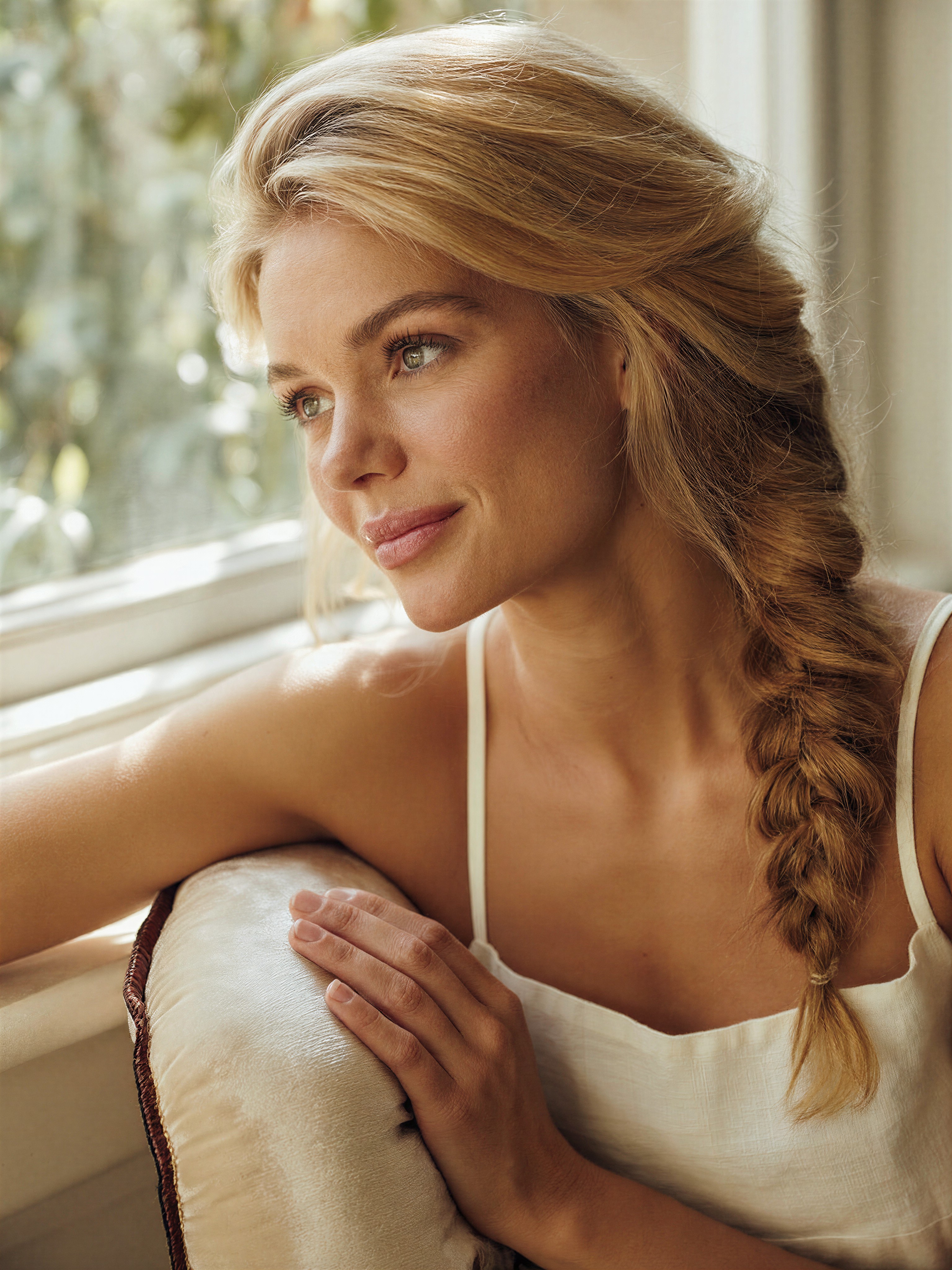
Hyper-Real Skin and Golden Hour Magic: The Power of This Portrait
The uncanny realism of this portrait lies in its skin — not just the surface, but the subtle topography of pores, fine lines, and the faintest blush of a genuine smile. Z-Image Base renders these details with the precision of a macro lens, while the golden hour light wraps around the subject like a warm, diffused caress. The botanical bokeh in the background is not just blurred — it's textured, with individual leaves and petals visible through the lens's depth-of-field.
The loose side braid adds a human, lived-in quality to the composition, contrasting with the ultra-clean white camisole. This is not a staged photograph — it's a moment captured between thought and expression, made immortal by the model's ability to render raw photo quality with cinematic control.
Photography Studios and Fashion Portraits — The Perfect Match
This prompt shines for high-end fashion photography, editorial shoots, or personal branding projects that demand uncompromising realism. The 3:4 portrait orientation works best for close-ups, but consider 16:9 for environmental portraits with the same lighting setup.
Limitations: Avoid overly dramatic lighting shifts — Z-Image Base excels at soft, natural light but may struggle with extreme contrast unless explicitly directed. For skin textures, maintain a resolution of at least 1080×1440 to preserve detail.
Settings for Z-Image Base — Cracking the Photorealism Code
Z-Image Base is engineered for cfg_scale values between 3.0–3.5 — too high and the skin loses its natural texture, too low and the background bokeh becomes indistinct. For maximum detail, use 25–30 steps at 1080×1440 (3:4) resolution.
- CFG / Guidance:
3.2balances skin realism with background bokeh clarity - Steps: 25 for full photorealistic detail; 12 for quick previews
- Resolution:
1080×1440(3:4) — optimal for portrait intimacy and texture resolution
At cfg 3.2, Z-Image Base captures the soft shadows under the subject's cheekbones and the way light glints off the camisole's linen texture — the hallmark of a professional-grade portrait.
Five Ways to Push This Portrait Further
5 Targeted Variations for This Prompt
- Change the lighting source: Replace "golden hour natural daylight" with "evening studio lighting, softbox with warm diffusion" — shifts the mood from natural to controlled, ideal for fashion editorials
- Alter the background: Change "blurred botanical background" to "studio backdrop with abstract geometric patterns" — maintains photorealism but adds modern flair
- Adjust the pose: Replace "sitting gracefully" with "standing with one hand on hip, confident expression" — transforms the mood from contemplative to assertive
- Experiment with clothing: Replace "white linen camisole" with "silk blouse with intricate lace collar" — adds texture contrast and period detail
- Time of day twist: Change "golden hour" to "dusk with amber sky reflection" — enhances the warm tones while adding atmospheric depth
Two Prompts Ready to Generate
Apply two of the variations above directly — both are tuned for Z-Image Base at the settings recommended above.
Variation: Evening studio lighting — shifts from natural golden hour to controlled studio environment with warm diffusion
High-end portrait photography, a candid close-up of a strikingly beautiful young woman with defined natural features, warm honey-blonde hair in a loose side braid, illuminated by evening studio lighting with softbox diffusion, looking thoughtfully out with a gentle contemplative gaze, wearing a simple white linen camisole, hyper-realistic skin texture with pores and fine lines, right hand resting on a plush cream velvet cushion, blurred botanical background with bokeh, raw photo quality
Variation: Silk blouse with lace collar — adds texture contrast and period detail to the original clothing
High-end portrait photography, a candid close-up of a strikingly beautiful young woman with defined natural features, warm honey-blonde hair in a loose side braid, illuminated by soft golden hour natural daylight, looking thoughtfully out with a gentle contemplative gaze, wearing a silk blouse with intricate lace collar, hyper-realistic skin texture with pores and fine lines, right hand resting on a plush cream velvet cushion, blurred botanical background with bokeh, raw photo quality
More Portrait Inspiration in This Direction
Explore similar high-fidelity portrait concepts with different stylistic twists: