

Worm's-Eye View on Wet Pebbles: Composition Breakdown
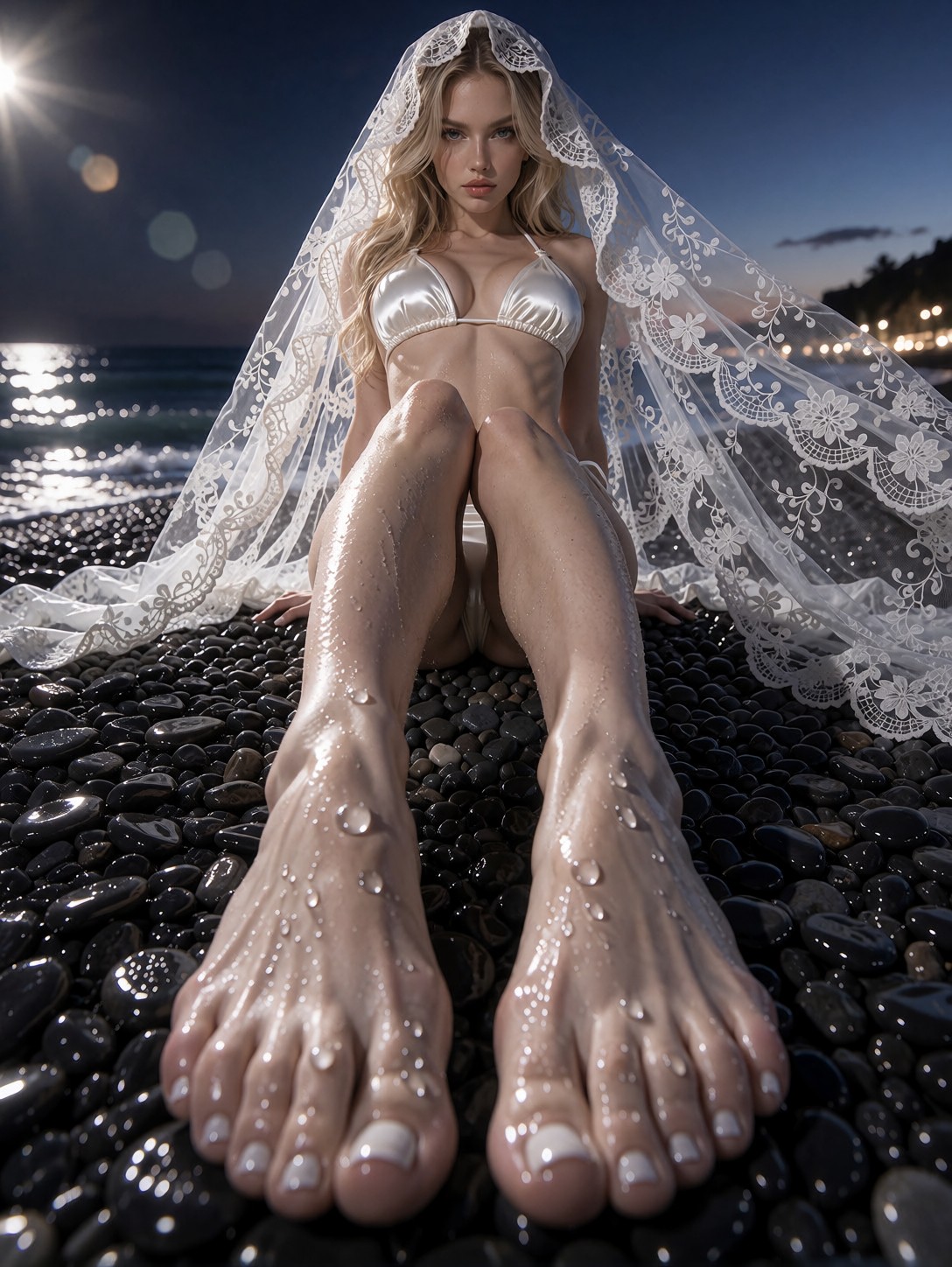
Resting on wet, black pebbles, the camera captures an extreme low-angle worm's-eye view that places the viewer directly on the shoreline. The lower half of the frame is filled with the model's legs and feet, stretched by a 14mm ultra-wide lens into a dramatic, almost surreal perspective. Above, her torso rises into a pearl-white satin bikini, the fabric catching high-contrast light that emphasizes every fold. A sheer lace veil drapes over her shoulders, its intricate filigree rendered in razor-sharp detail, while water droplets glisten on the pebbles. The background dissolves into a soft bokeh of twilight horizon and ocean waves, framing the subject with atmospheric depth and a serene, sensual mood. The high-contrast lighting creates a sculptural quality, highlighting the model's form against the reflective ground.
Editorial Fashion Applications for This Low-Angle Shot
This composition is tailor-made for editorial fashion spreads, luxury brand campaigns, and high-impact magazine covers. The wide-angle distortion adds a bold, contemporary edge that works well for fashion website hero images and social media storytelling. Because the viewpoint is ground‑level, it is less suited for traditional headshots or corporate portraiture. The vertical 3:4 aspect ratio maximizes the leg distortion while leaving room for copy in print layouts; a 16:9 crop would cut off the feet and reduce the worm's‑eye effect.
Krea 2 Settings for Sharp Detail and Balanced Style
For Krea 2, start with a guidance scale of 3.5 to preserve the model's natural composition while maintaining sharp detail. Use 25–30 sampling steps to render the fine texture of the lace and wet pebbles without oversmoothing. A resolution of 1080×1440 (3:4) matches the intended framing; for larger prints, increase to 1344×1792. Keep the aspect ratio at 3:4 to retain the vertical emphasis.
At cfg 3.5 and 28 steps, Krea 2 resolves the intricate lace filigree and glistening pebbles without smearing them into the subject.
LoRA Combination
The prompt includes two LoRAs: GPT style (weight 65) and Realistic Smartphone Snapshot (weight 85). The higher weight on Realistic Smartphone Snapshot dominates, giving the image a candid, documentary feel. For a subtle blend, keep each weight between 30–60; for a dominant style, push one above 70. To reduce the snapshot influence, lower its weight to 40–50; to enhance the opulent GPT style, raise it above 70. When using both, ensure the total weight sum does not exceed your interface's normalization limit.
Five Variations to Push the Composition Further
5 Targeted Variations for This Prompt
- Golden hour warmth: Replace "twilight horizon" with "golden hour glow" and change "pearl-white satin bikini" to "cream silk bikini" — the scene shifts to a warm, sun‑kissed editorial tone.
- Black and white high contrast: Add "monochrome, high contrast black and white" and remove color descriptors — the image becomes a graphic, dramatic fashion study.
- Urban rooftop setting: Swap "ocean shoreline" with "city skyline at dusk" and change "wet pebbles" to "concrete tiles" — the composition moves from beach to metropolitan runway.
- Underwater surrealism: Change "wet pebbles" to "sandy seabed" and add "submerged, bubbles rising" — the model appears as a mermaid in an ethereal underwater fashion shoot.
- Winter snow scene: Replace "wet pebbles" with "snow‑covered rocks" and add "soft snowfall, cool blue light" — the editorial becomes a serene winter wonderland.
Two Ready-to-Use Prompt Examples
Apply two of the variations above directly — both are tuned for Krea 2 at the settings recommended earlier.
Variation: golden hour warmth — same low-angle composition with warm light and cream silk bikini
Realism, Editorial Fashion Portrait. Extreme low-angle worm's-eye view resting directly on wet, reflective black pebbles. Her feet and shapely legs dominate the bottom half in sharp wide-angle distortion, full figure rising gracefully. She wears a cream silk bikini and a sheer lace veil draped over shoulders, sweeping to touch the water. Ocean shoreline and golden hour horizon frame her with soft bokeh. Shot on Canon EOS R5, 14mm f/2.8, ground-level lens placement, high-contrast lighting, razor-sharp focus on wet pebbles, water droplets, lace filigree, photorealistic, 8k.
Variation: black and white high contrast — remove color, add monochrome for graphic drama
Realism, Editorial Fashion Portrait. Extreme low-angle worm's-eye view on wet, reflective black pebbles. Her feet and legs dominate bottom half in wide-angle distortion, full figure rising. She wears a satin bikini and sheer lace veil, both rendered in monochrome. Ocean shoreline and twilight horizon behind, soft bokeh. Shot on Canon EOS R5, 14mm f/2.8, ground-level lens placement, high-contrast black and white, razor-sharp focus on pebbles, water droplets, lace filigree, photorealistic, 8k.
More Glamour Portraits in the Same Editorial Style
Explore these related prompts for additional high‑end fashion inspiration.