Examples below were generated on Proxima with AI-generated adult subjects. They show individual results, not a quality guarantee. Prices checked on 22 November 2026; the Generate button is authoritative. Confirm your email for the full daily free-credit allowance.
How to Keep the Same Face When Editing with AI
Short answer: put a clear portrait first, describe the new scene, and end the prompt with "Keep his face, beard, eyes and hairstyle exactly as in Picture 1." On Proxima, Minimax H3 Image Edit does this for 15 credits at 2K (8 at 1K) and accepts up to 16 reference images, so you can add an outfit, a product and a place in the same edit.
One Portrait, New Scenes
This chef edit uses the portrait as its only reference. Compare the face with the original; identity preservation is not guaranteed.
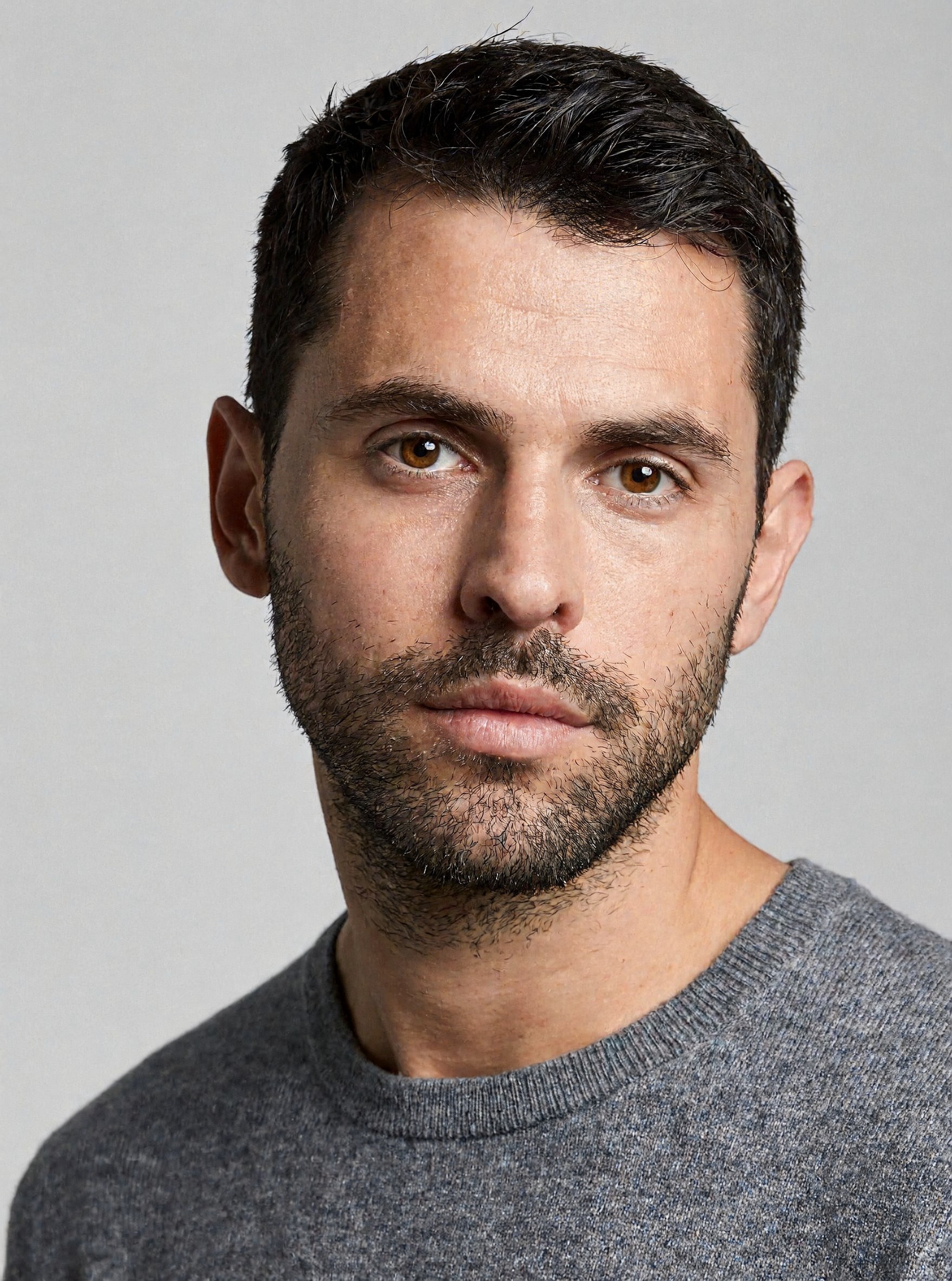
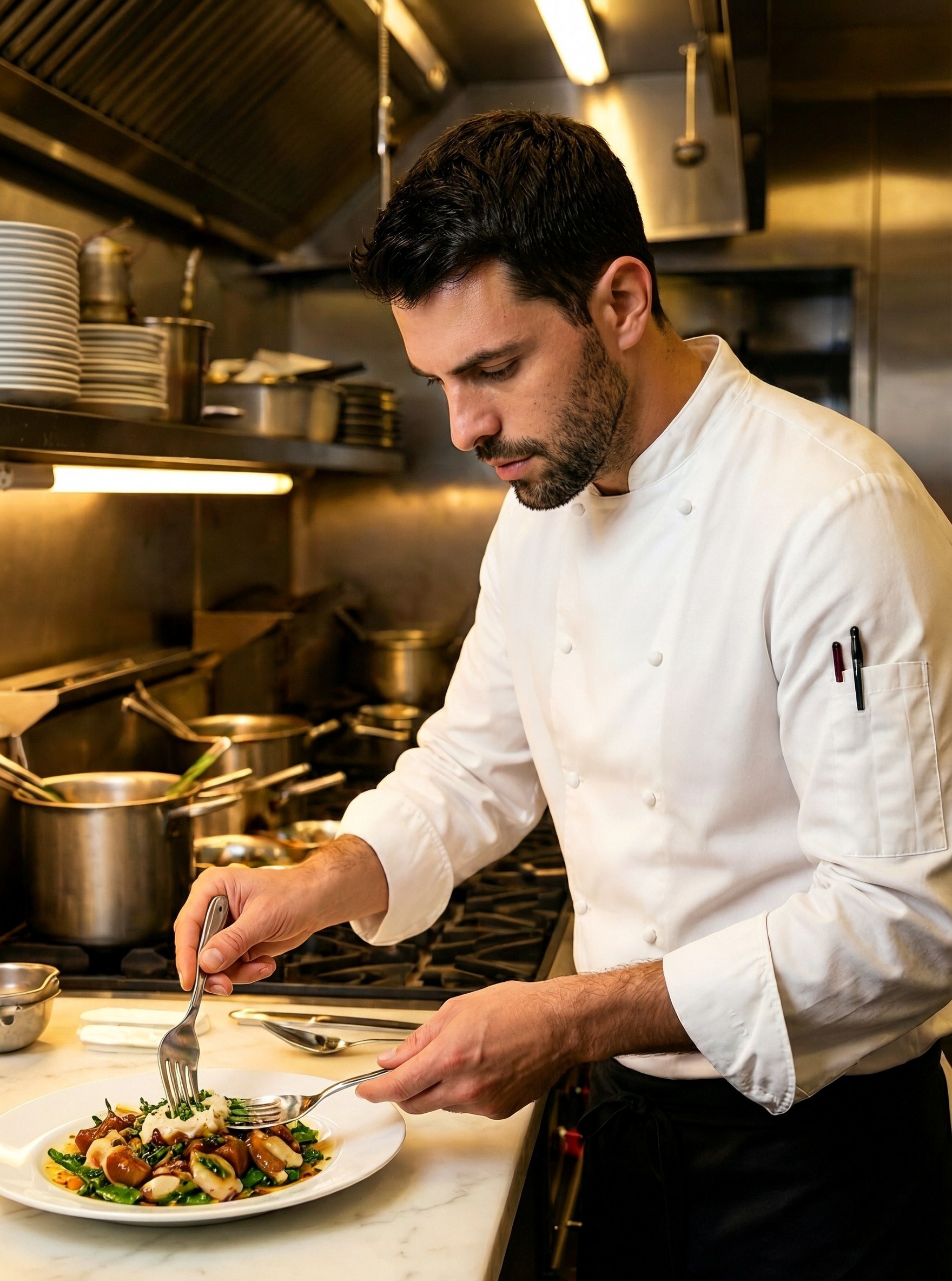
Prompt: The man from Picture 1 works as a chef in a busy restaurant kitchen, wearing a white chef jacket and plating a dish, warm kitchen light, medium shot. Keep his face, short beard, brown eyes and dark hairstyle exactly as in Picture 1.
Step by step
-
Start with a clear portrait
Use a sharp, well-lit photo where the face is visible from the front, without sunglasses or heavy shadows.
-
Make it Picture 1
In Create → Images / Video → Magic → Image Edit choose Minimax H3 Image Edit and add the portrait first. Add outfit, product or place images after it.
-
Describe the new scene
Write who the person is now and what they do: "The man from Picture 1 works as a chef in a busy restaurant kitchen…".
-
Protect the identity
End with what must stay: "Keep his face, short beard, brown eyes and dark hairstyle exactly as in Picture 1."
-
Check and repeat
Compare the face with the original. If something drifted, name that feature in the Keep sentence and generate again; a fixed seed helps compare prompts.
-
Save the person as a character
For a whole series, turn the best portrait into a named character with Character Asset Pack and reuse it in storyboards and videos.
Same Face, New Outfit and Place from Other Photos
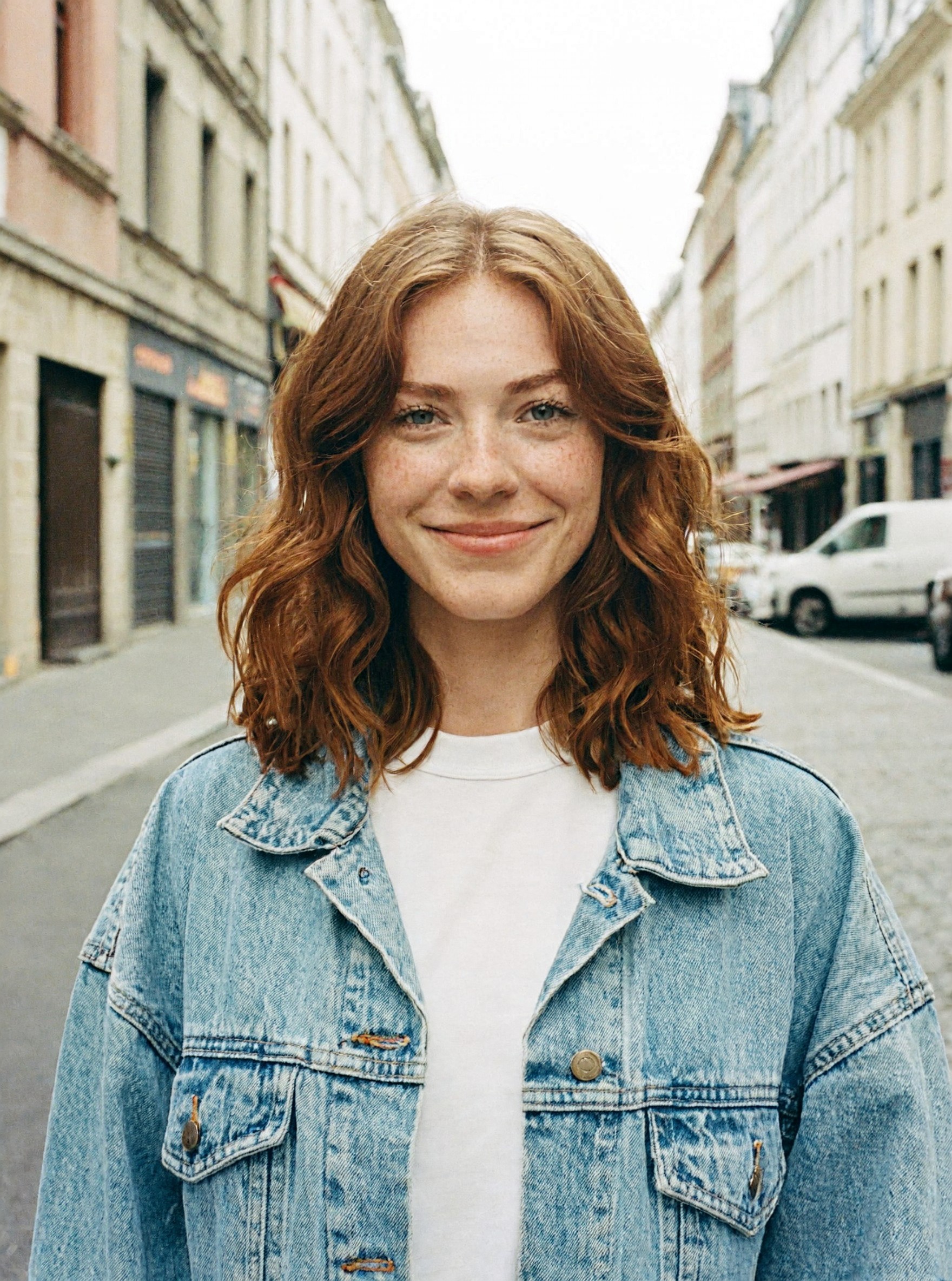
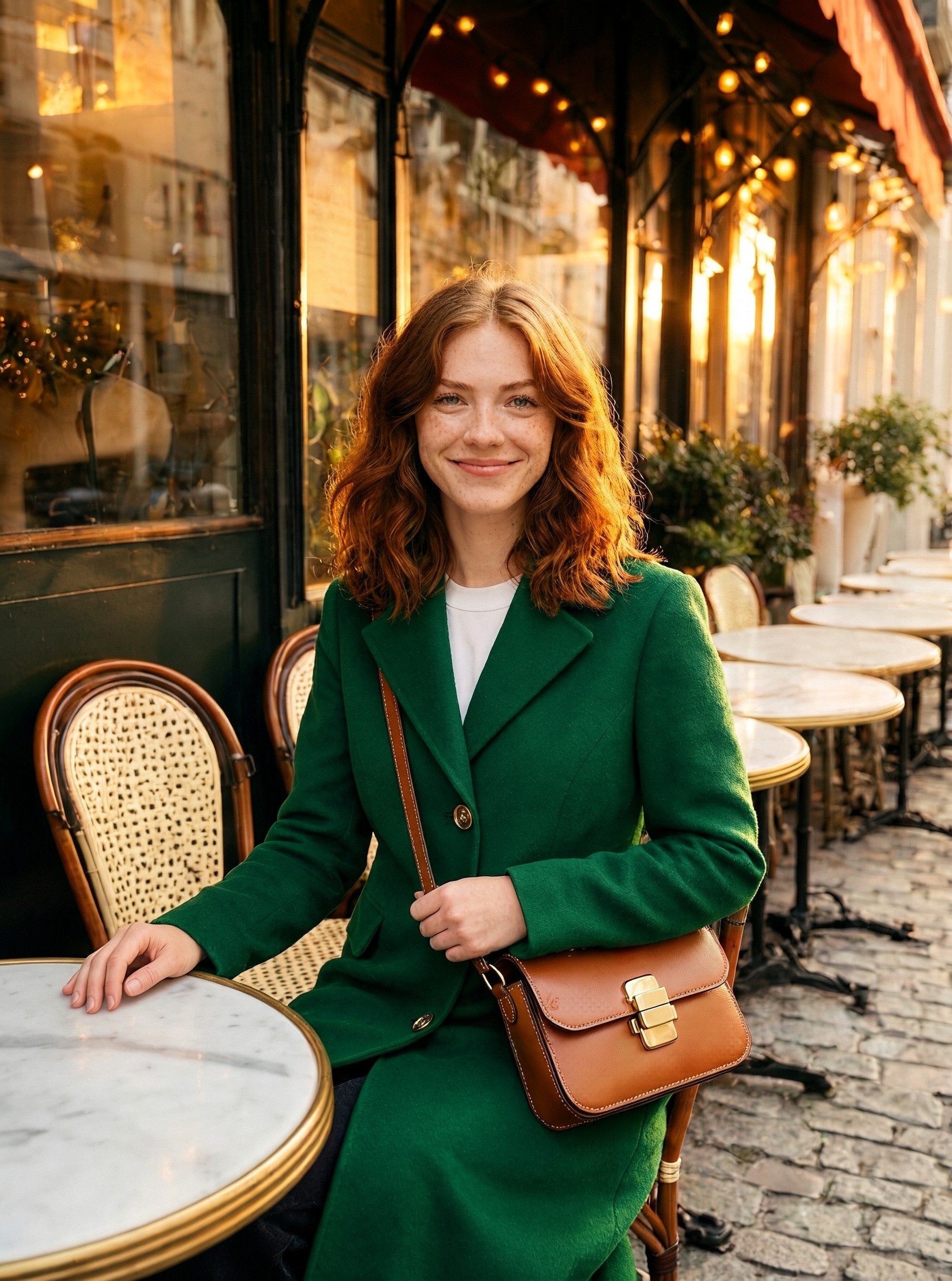
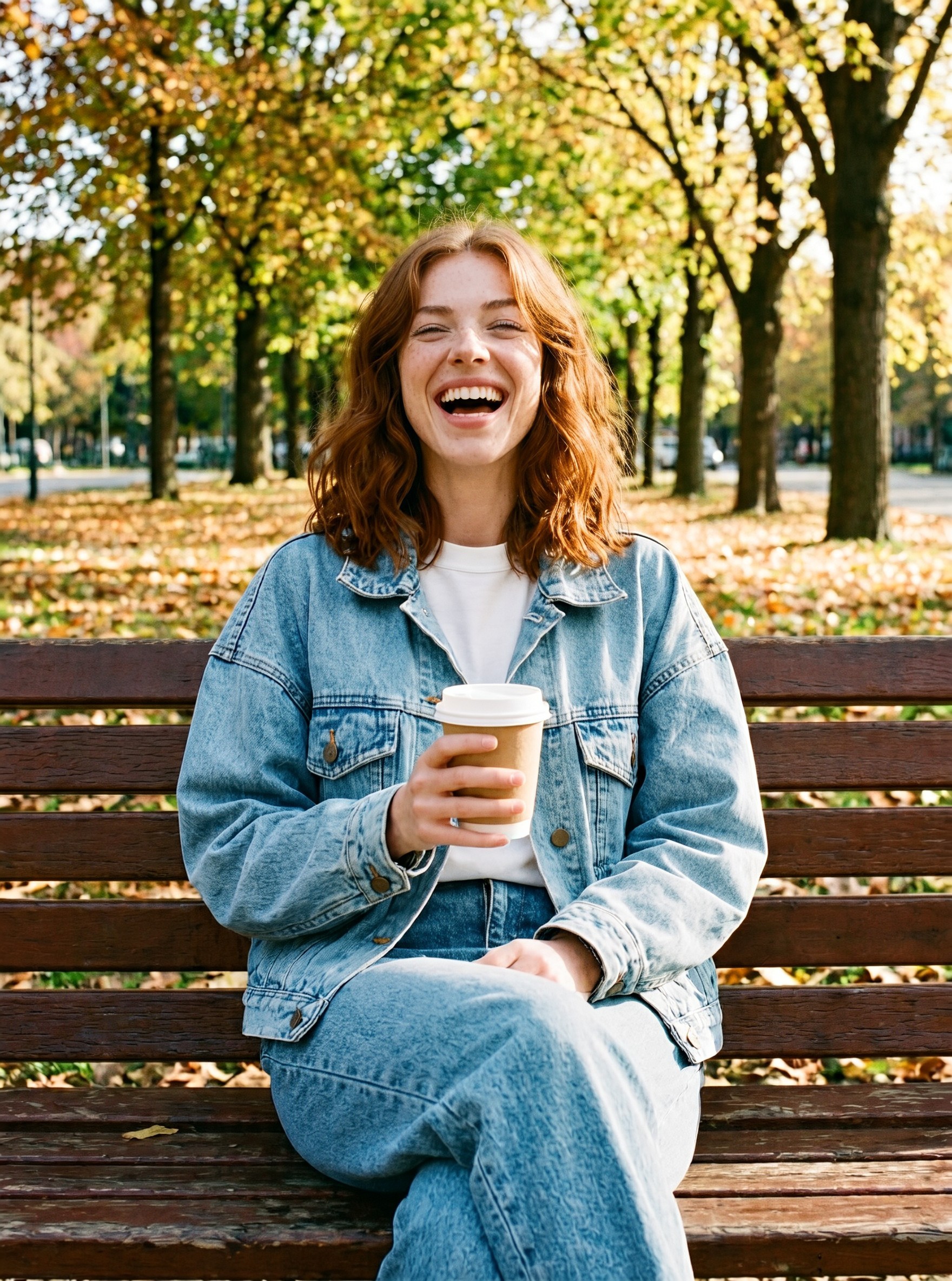
Add more images after the portrait and give each a role. Here Picture 1 is the woman, Pictures 2–4 are a coat, a bag and a café; the face and hair come only from Picture 1.
Prompt Wording That Protects Identity
- Name the person by picture: "the man from Picture 1", not just "a man".
- List the features: face, eyes, eyebrows, freckles, beard, hairstyle and hair colour, skin tone, glasses or tattoos.
- Use "exactly as in Picture 1". It tells the model which image is the source of truth.
- Keep the camera reasonable. A medium shot or close-up keeps the face large enough to stay recognisable; tiny faces in wide shots drift more.
- Change one big thing at a time — scene first, then pose — and use the result of one edit as Picture 1 of the next.
Which Model to Use for Identity
| Model | Credits | References | Good for |
|---|---|---|---|
| Minimax H3 Image Edit | 8 / 15 / 30 | 16 | Same face in new scenes, outfits and poses; best value |
| GPT 2.6 Image Edit Premium | 65 + 15 per reference | 16 | Small edits that must stay closest to the original |
| Krea 2 Image Edit | 25 | 2 | Photorealistic identity edits with Krea 2 LoRAs |
| Qwen 2.1 Image Edit | 15 | 10 | Identity plus a LoRA style |
More models: which image edit model to choose.
The Same Three People in a New Scene
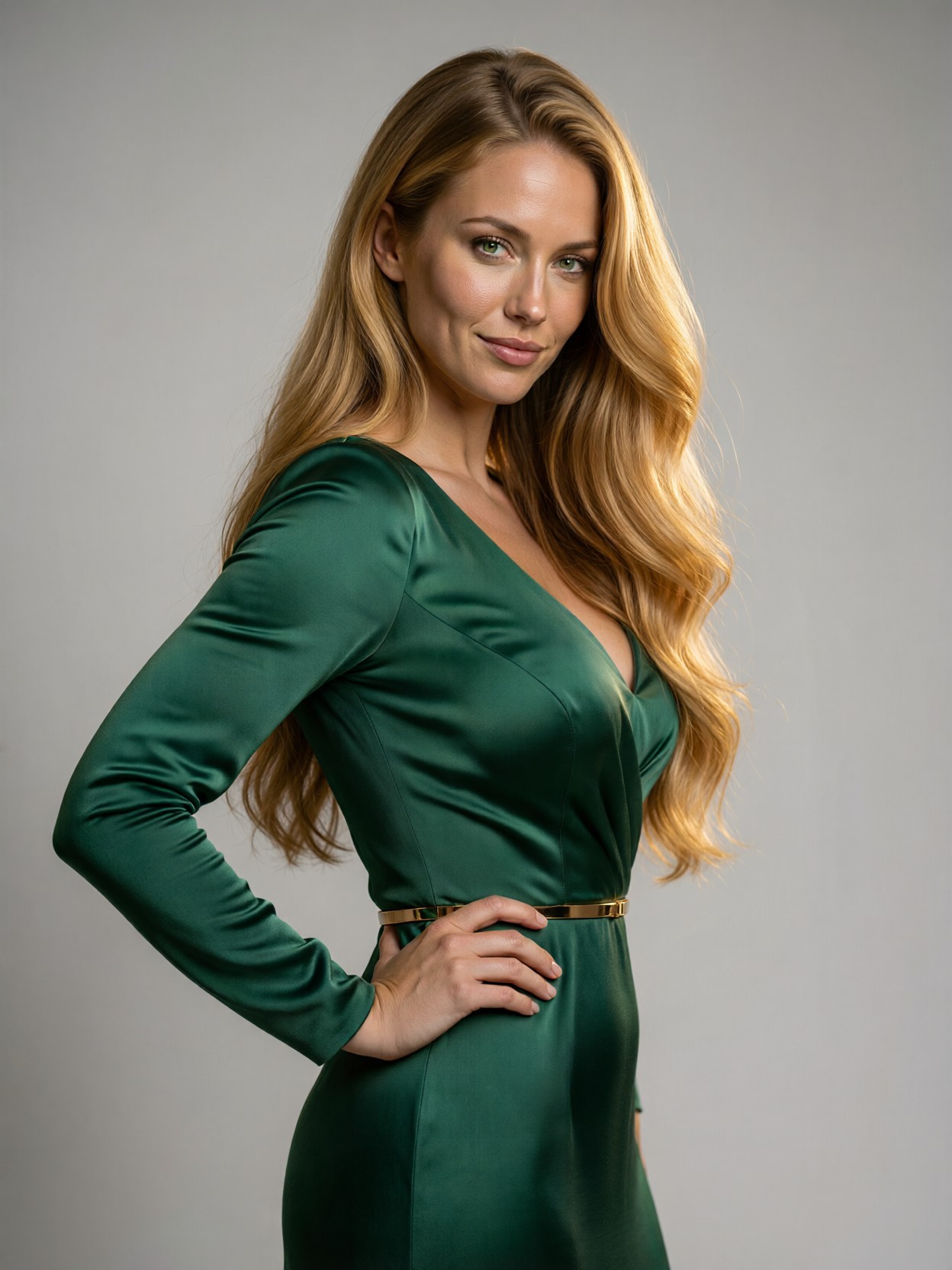
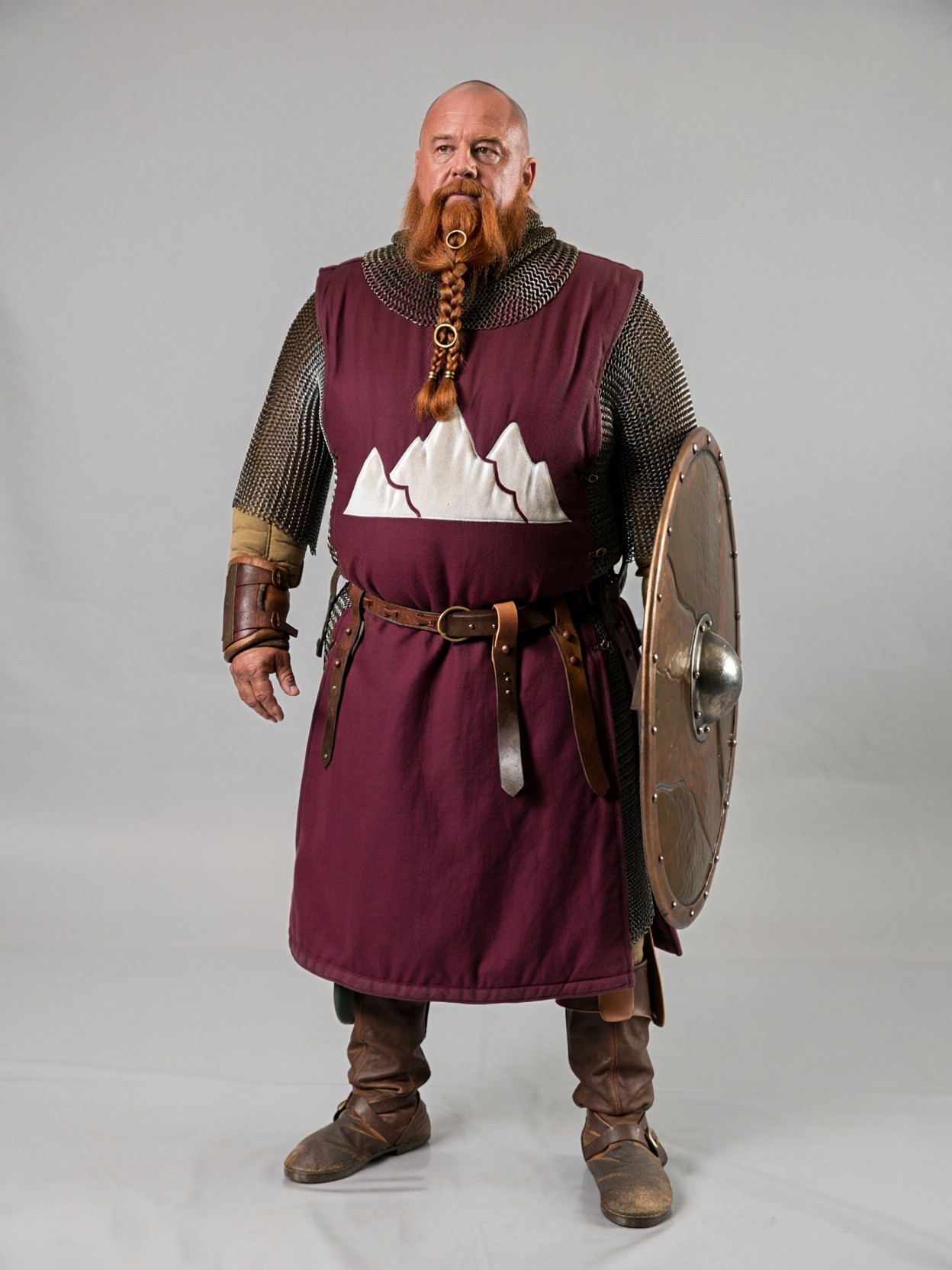
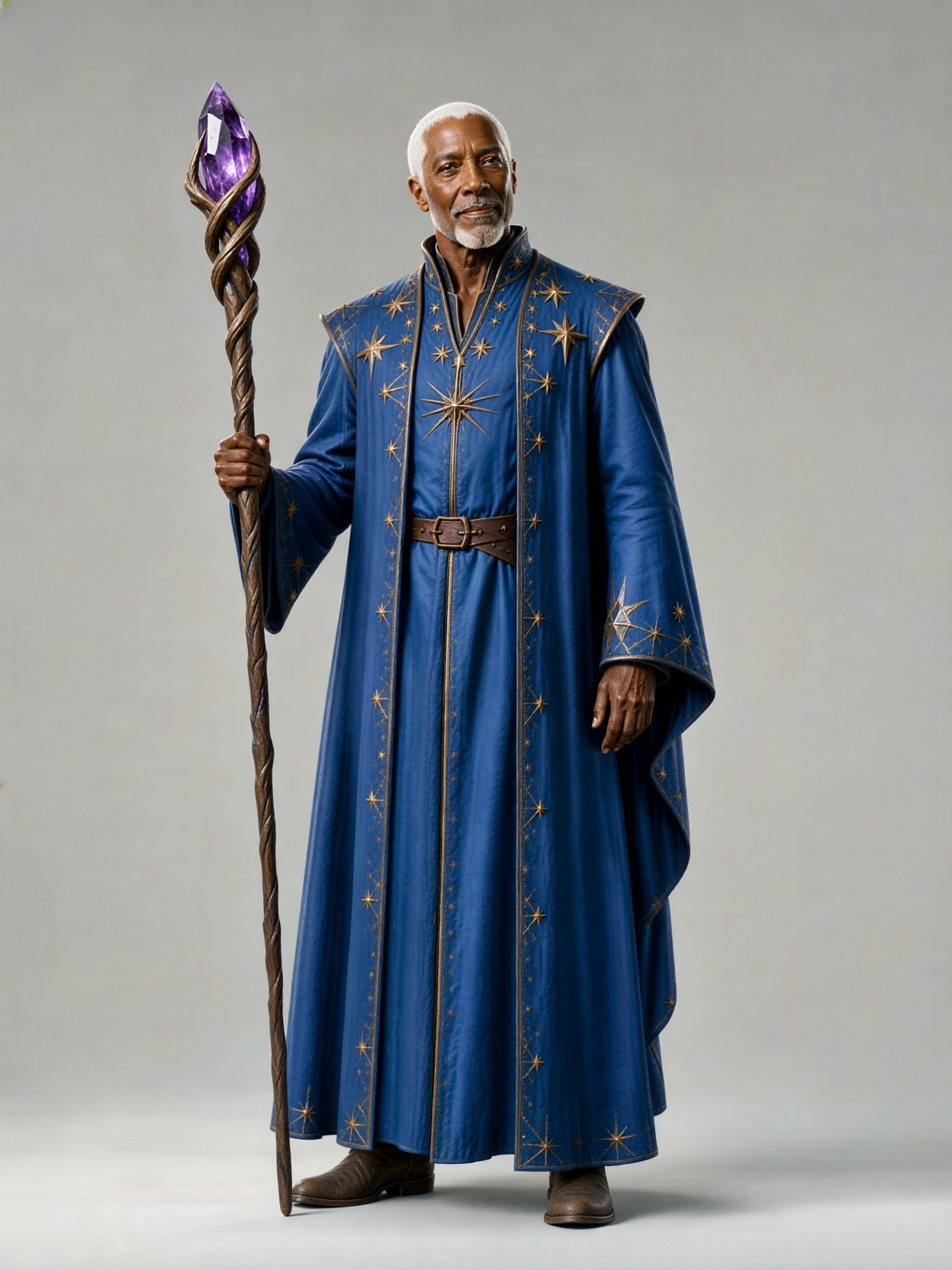
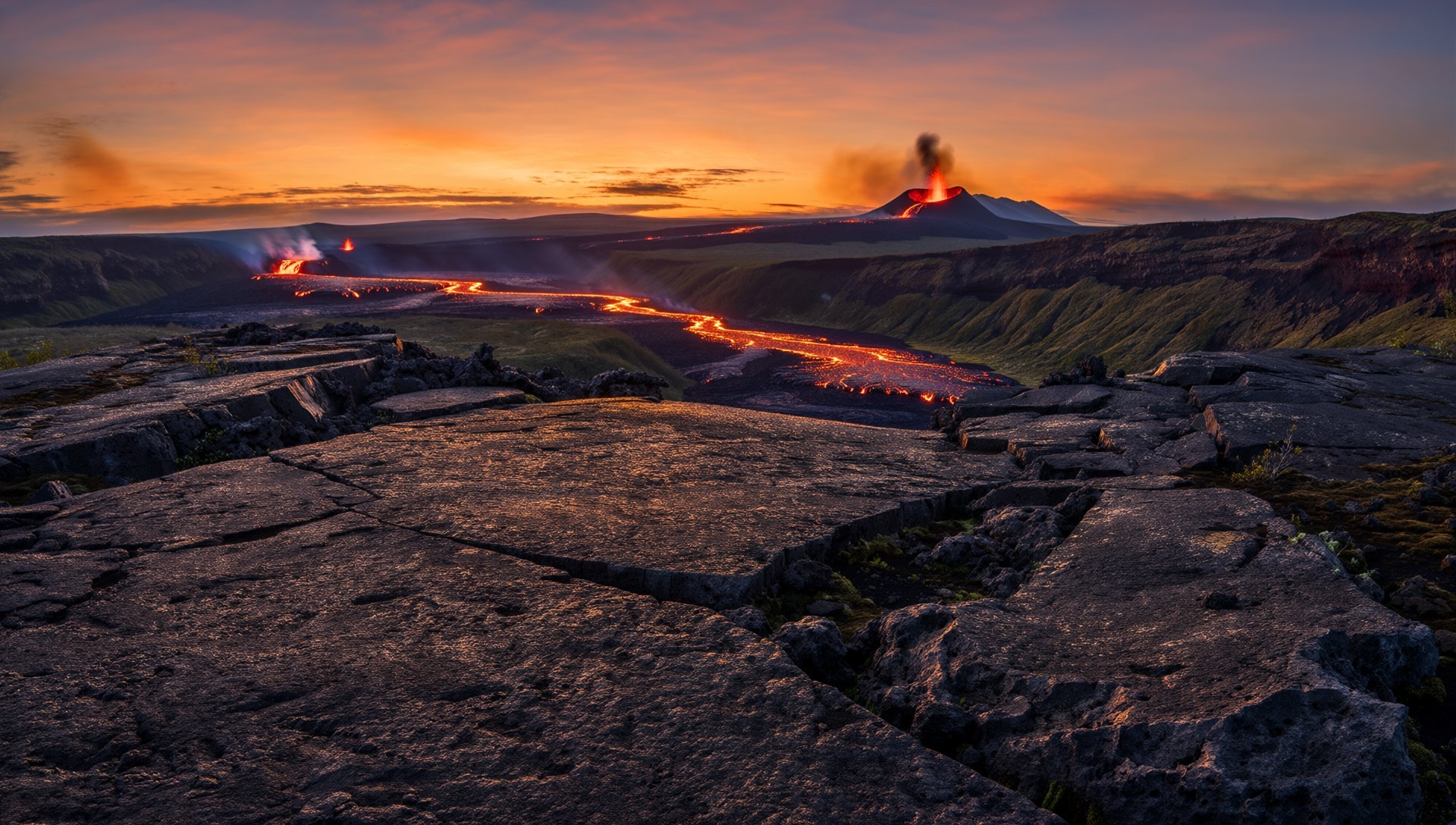
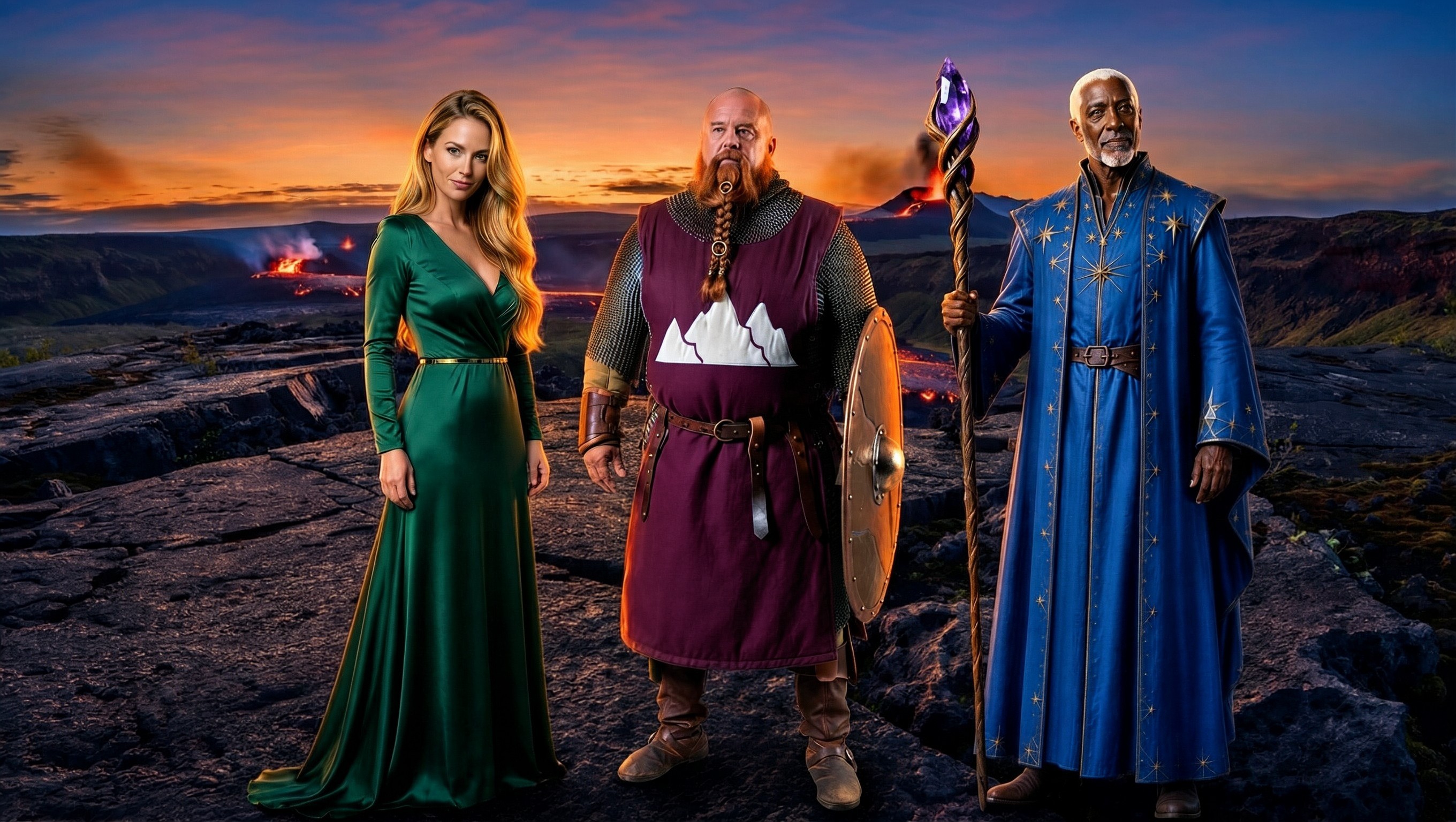
The same four-reference recipe with only the place changed. Compare the three faces with Pictures 1–3 and with the palace version: identities, outfits and accessories carry over. The landscape is reinterpreted rather than copied, and the warrior is not shown shorter than the others because his reference is a man of ordinary height.
Read the exact prompt
Combine these four reference images into one photorealistic cinematic group photograph at blue hour. Exactly THREE distinct fully clothed adults, full bodies visible, standing side by side on the dark basalt plateau of the volcanic landscape from Picture 4, lava river and erupting volcano in the distance behind them. LEFT: the woman from Picture 1 — keep her exact face, green eyes, very long flowing golden blonde hair and her emerald green satin gown with gold belt. CENTER: the stocky red-bearded man from Picture 2 — keep his bald head, braided copper-red beard with brass rings, chainmail, burgundy tabard with white mountain emblem and round shield. RIGHT: the tall man from Picture 3 — keep his dark brown skin, short white hair, white beard, cobalt blue robes with gold stars and wooden staff with purple crystal. Do not merge identities, outfits or accessories. Warm orange rim light from the lava on all three, real photograph, natural anatomy and hands. No extra people, no text, no violence.
All people shown are AI-generated adults, not real persons. The four references were generated separately on Proxima with Qwen 2.1 (native 2K) and realism LoRAs; the 15 credits cover the edit only. Each result is a single H3 attempt, shown unretouched — one real outcome, not a guarantee of exact identity or object reproduction. H3 accepts up to 16 references; this example needs four.
For a Series: Make a Character
If the same person should appear in many pictures or a film, create them once in Character Asset Pack: from one portrait it makes a screen set of the person from several angles and saves it under a name. Then use the character's tag in the AI storyboard generator and animate the panels or single images in Video Pro. Step-by-step video: Proxima tutorials.
How to Keep the Same Face When Editing Images with AI: References, Prompts and Characters FAQ
How do I keep the same face when editing a photo with AI?
Add a clear photo of the person as the first reference image, describe the new scene, outfit or pose, and finish the prompt with what must stay: "Keep her face, eyes, freckles and hair exactly as in Picture 1." Minimax H3 Image Edit on Proxima keeps identity well for 15 credits at 2K.
Which Proxima model keeps faces best?
Minimax H3 Image Edit is the best value for identity edits and accepts up to 16 references. GPT 2.6 Image Edit (premium) is another option when only a small part should change. Krea 2 Image Edit is built for identity-preserving photorealistic edits with up to 2 references.
Do I need several photos of the person?
One clear front-facing photo is usually enough. For difficult angles you can add a second photo of the same person, for example a profile, and say "the woman from Pictures 1 and 2".
How do I keep the same person across many images?
Create a character once with Character Asset Pack: it makes a screen set of the person from several angles and saves it under a name. In storyboards you then use the character's tag instead of re-uploading photos.
Why does the face change when I change the pose?
Big changes in pose, angle or lighting give the model more freedom. Name the identity details you care about in the Keep sentence and avoid extreme angles in a single step.
Can I edit photos of real people?
Only with their consent. Proxima's Terms of Use apply to every edit.