Examples below were generated on Proxima with AI-generated adult subjects. They show individual results, not a quality guarantee. Prices checked on 22 November 2026; the Generate button is authoritative. Confirm your email for the full daily free-credit allowance.
How to Edit a Photo with a Text Prompt: Background, Clothes, Pose
Short answer: open Image Edit on Proxima, upload the photo, choose Minimax H3 Image Edit and write two sentences: what should change and what must stay. Example: "Change the background to a snowy alpine village at dusk. Keep her face, hair, clothes, pose and framing exactly the same." One edit costs 15 credits at 2K, or 8 at 1K.
The Prompt Formula
Change [what] to [new version]. Keep [face, hair, clothes, pose, background, composition] unchanged.
The first sentence names one change. The second protects everything else — anything you do not mention may change too. With more than one image, call them Picture 1, Picture 2 and so on.
Step by step
-
Upload the photo
Open Create → Images / Video → Magic → Image Edit and add your photo as the first image with + or pick one with Gallery.
-
Pick the model
Choose Minimax H3 Image Edit for most edits (15 credits at 2K). Use MOSS Image Edit for one small change H3 does not get right, or GPT 2.6 Image Edit (premium) for the most exact result.
-
Name the change
Start with what should change: "Change the background to…", "Change only the jacket to…", "She now sits on…".
-
Say what stays
Finish with what must not change: "Keep her face, hair, clothes, pose and framing exactly the same."
-
Generate and compare
Click Generate Composition, compare the result with the original and add any detail that drifted to the "Keep…" sentence before the next run.
1. Change the Background
Prompt (Minimax H3, 2K, 15 credits): Change the background to a snowy alpine village street at dusk with warm lights in the windows and light snowfall. Keep her face, freckles, hair, smile, clothes, pose and framing exactly the same.
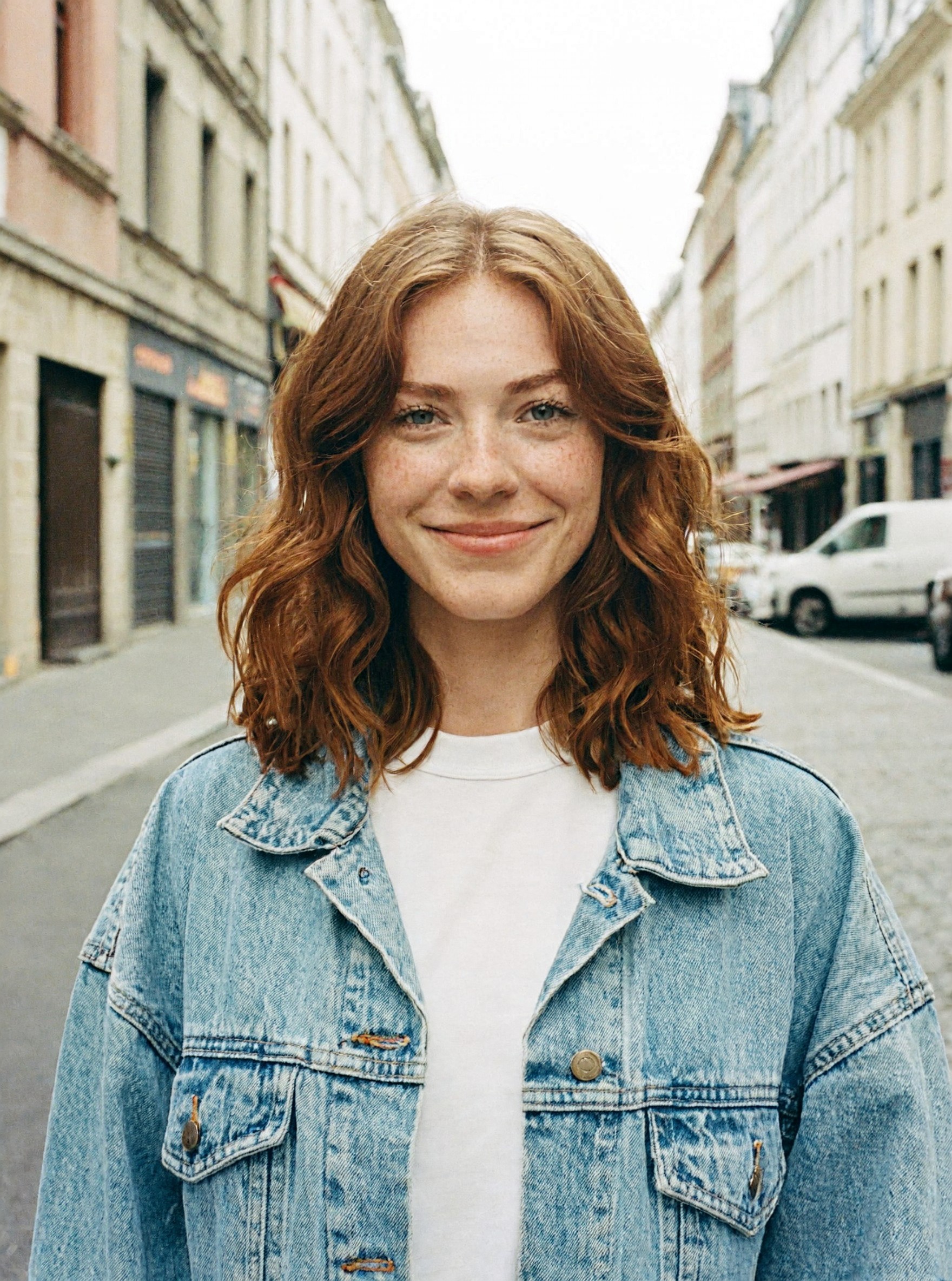
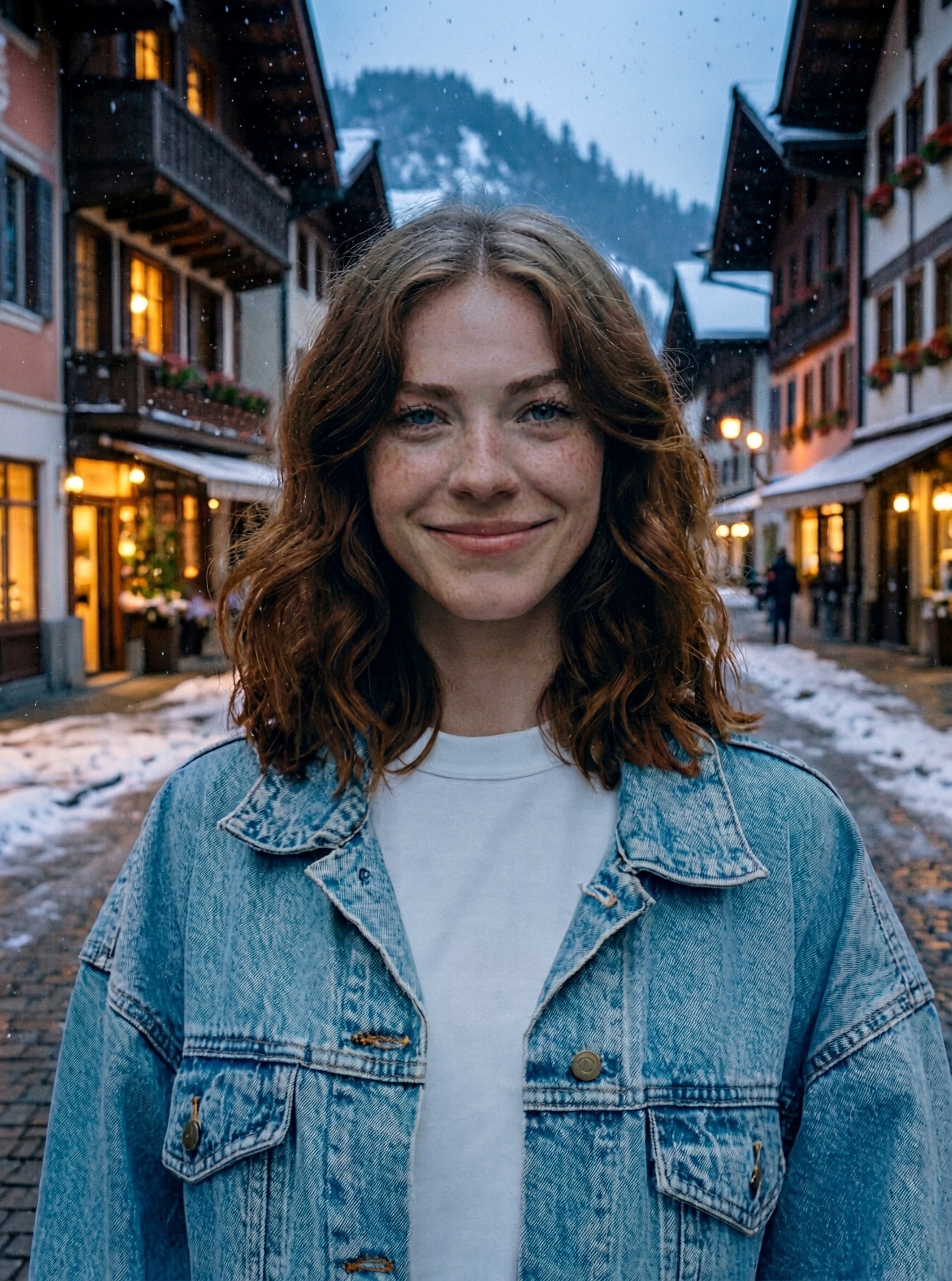
Tip: describe the light of the new place ("at dusk", "golden hour", "neon at night") — the editor relights the person to match.
2. Change the Clothes — H3 vs GPT 2.6 vs MOSS
Prompt: Change only the denim jacket to a red leather biker jacket. Keep the character, face, hair, white t-shirt, pose, background and composition unchanged.
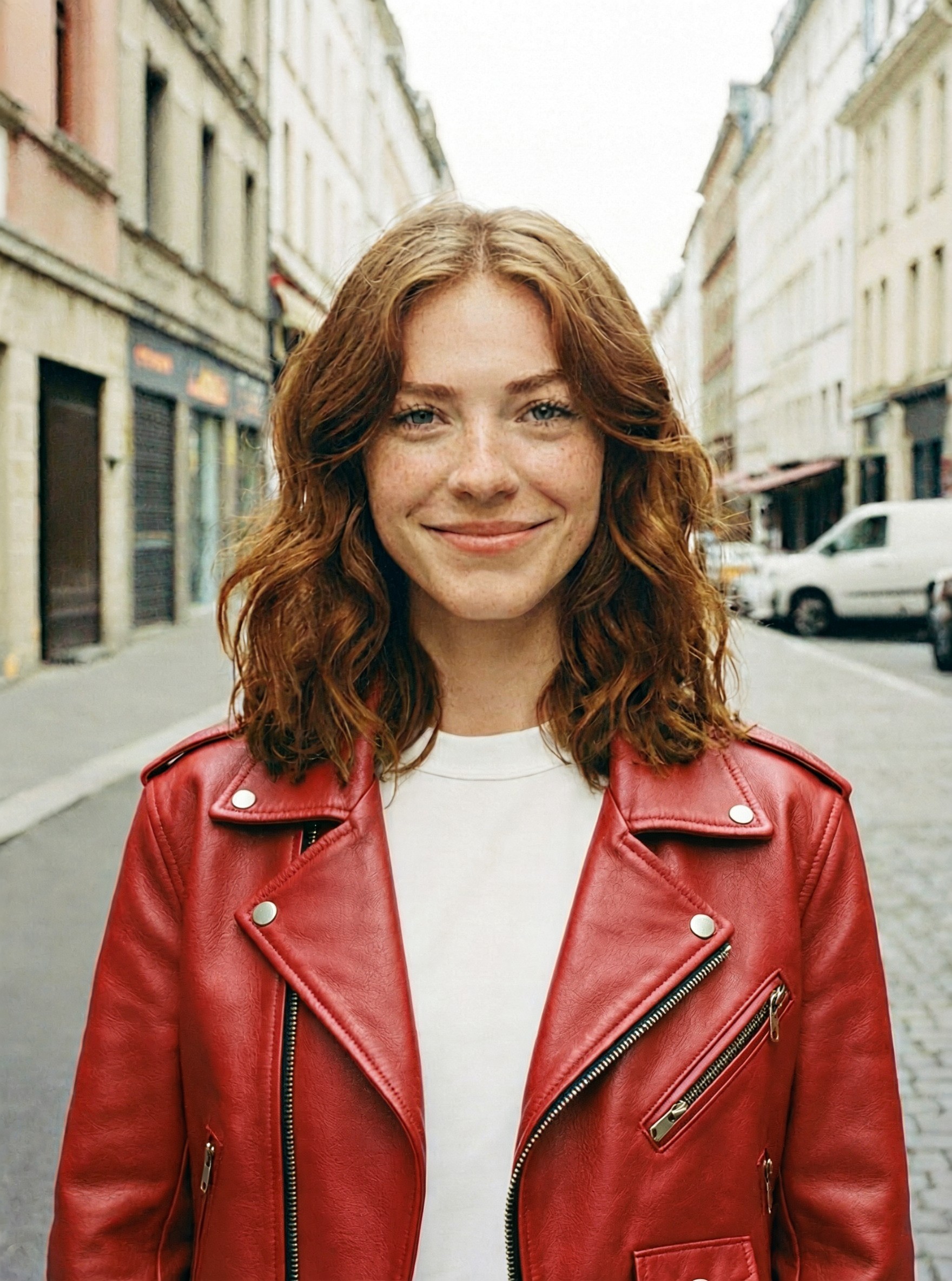
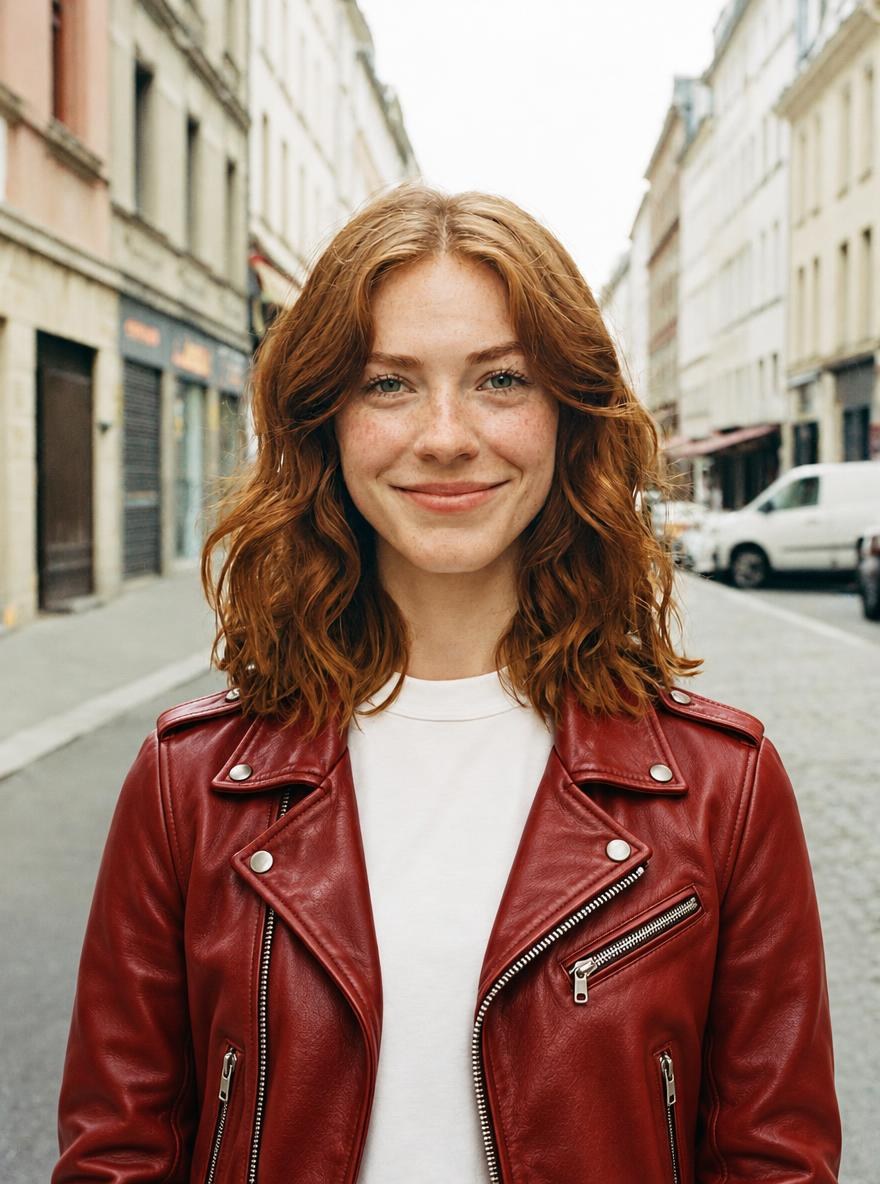
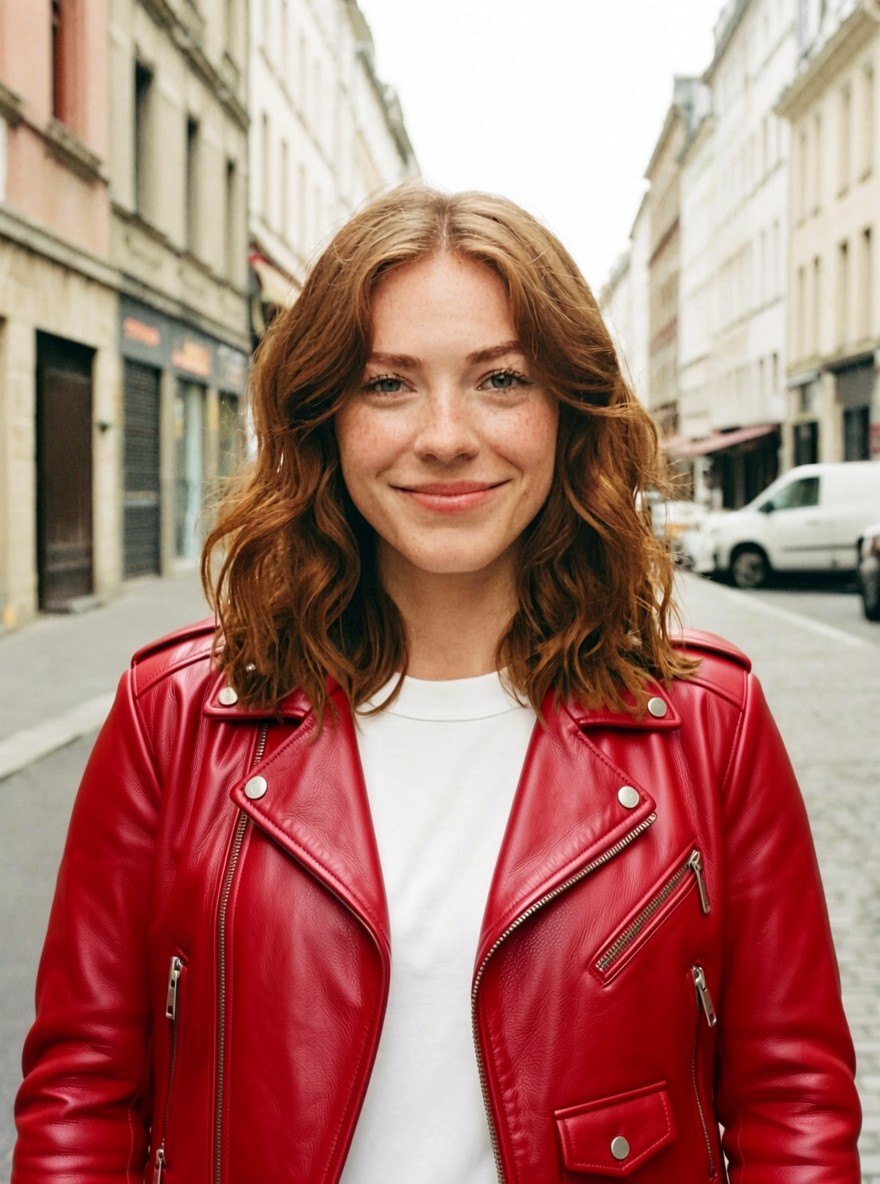
- Minimax H3 — the best balance of quality and price; renders 2K or 4K.
- GPT 2.6 — follows the instruction most literally and keeps the rest closest to the original; premium, strict moderation.
- MOSS — fewer content restrictions, lower quality; your backup when the others refuse or miss the change.
To copy a garment you already have, add its photo as Picture 2 and write "The woman from Picture 1 wears the coat from Picture 2" — see the four-reference example in the Minimax H3 guide.
3. Change the Pose or Action
Prompt (Minimax H3, 2K, 15 credits): The woman from Picture 1 now sits on a wooden park bench on a sunny autumn day, legs crossed, holding a takeaway coffee cup and laughing. Keep her face, freckles, wavy auburn hair, white t-shirt and light blue denim jacket the same as in Picture 1.
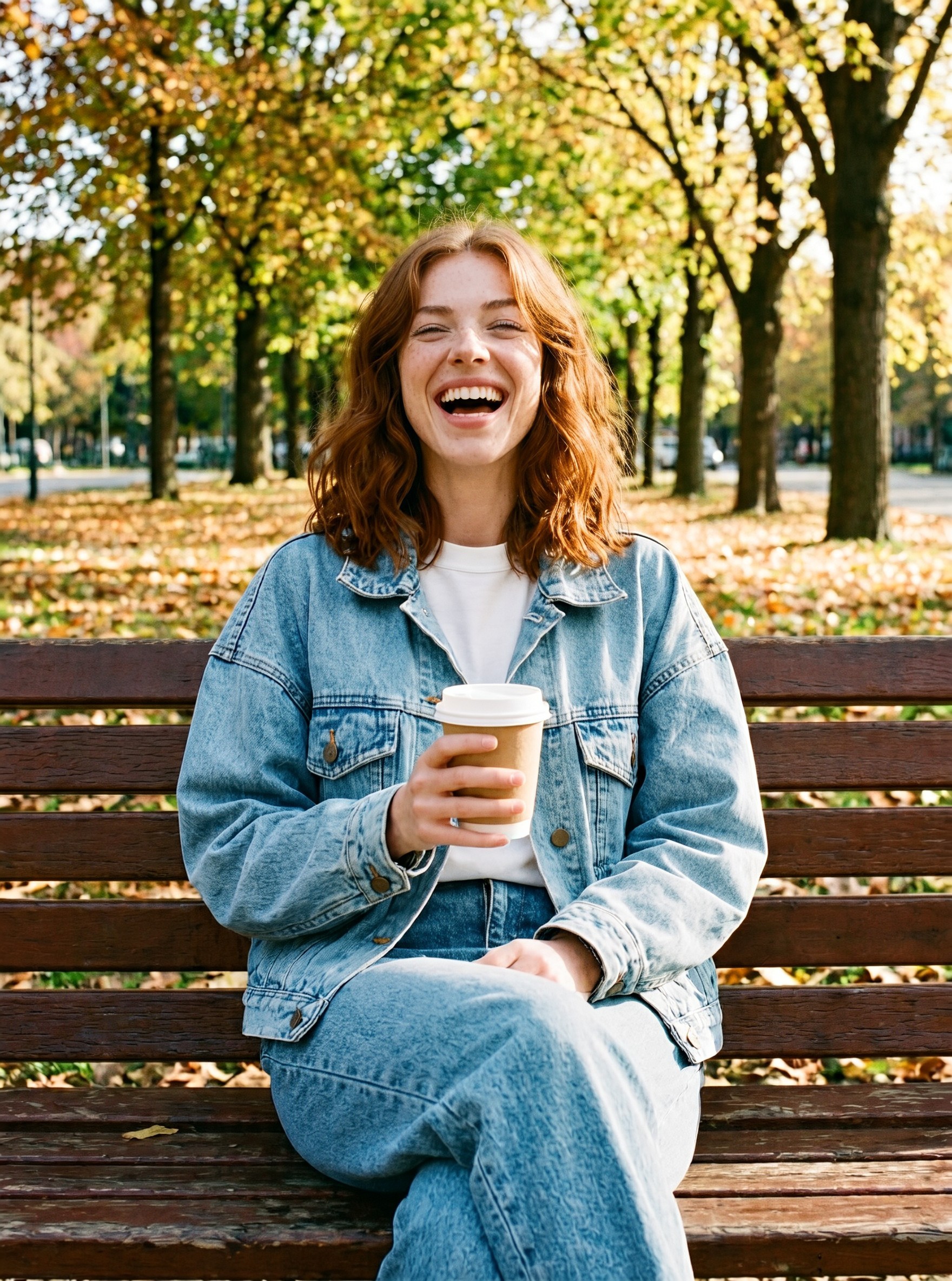
A new pose is a bigger change than a new jacket, so name the identity details explicitly — face, hair, outfit.
4. Small Changes: Hair, Colour, One Object
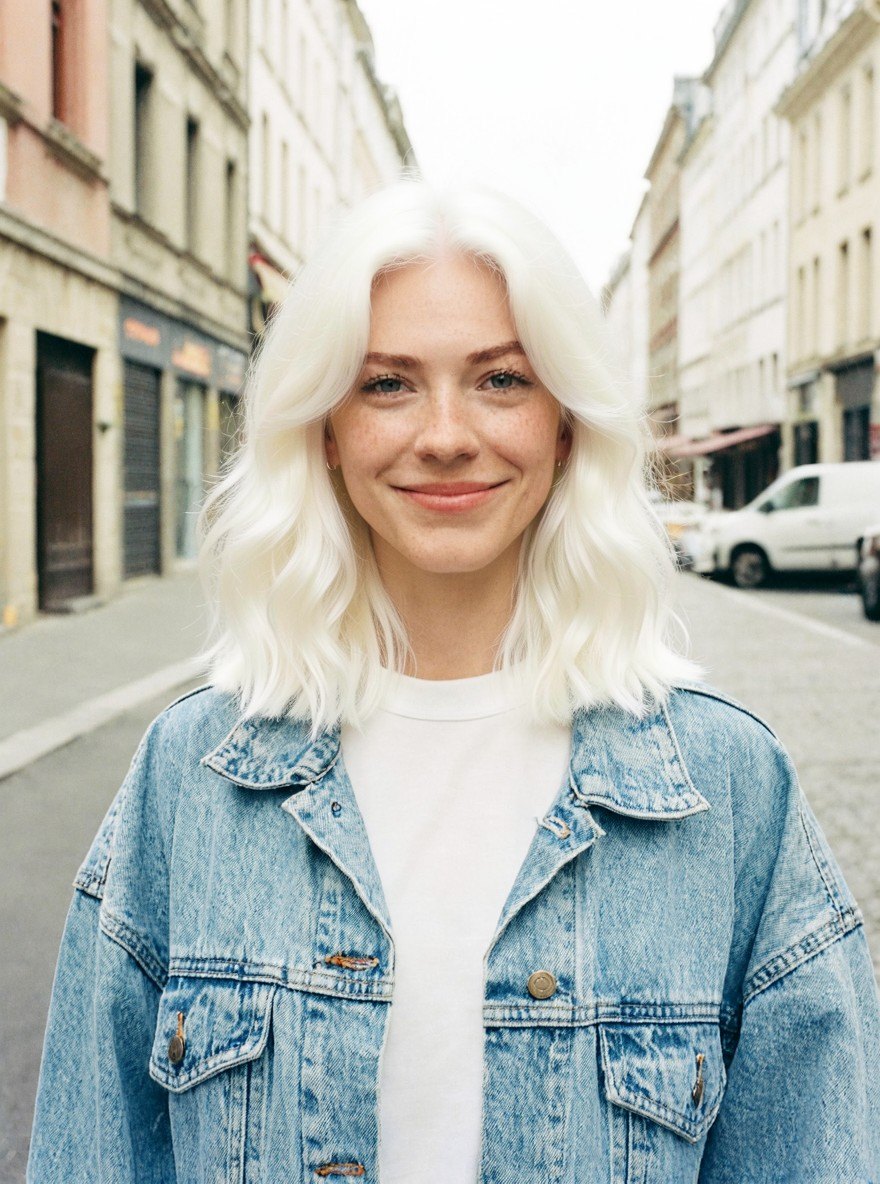
Prompt (MOSS, 15 credits): Change only the hair color to platinum blonde. Keep the character, face, hairstyle, clothes, pose, background and composition unchanged.
Common Mistakes
- No "Keep…" sentence — the model is free to redraw the face or background.
- Several changes in one run — do one change, check it, then the next; or describe each change in its own sentence.
- Vague words — "make it nicer" gives random results; "warm golden-hour light from the left" does not.
- Wrong order of images — the photo you edit should be Picture 1.
- Testing at 4K — find the prompt at 1K for 8 credits, then render the final.
The Heroine in a Volcanic Landscape: Minimax H3 and GPT 2.6
Here both models received the same four references and the same prompt; only the models and their own settings differ. The references are the heroine’s face, the armor, the sword and the landscape.
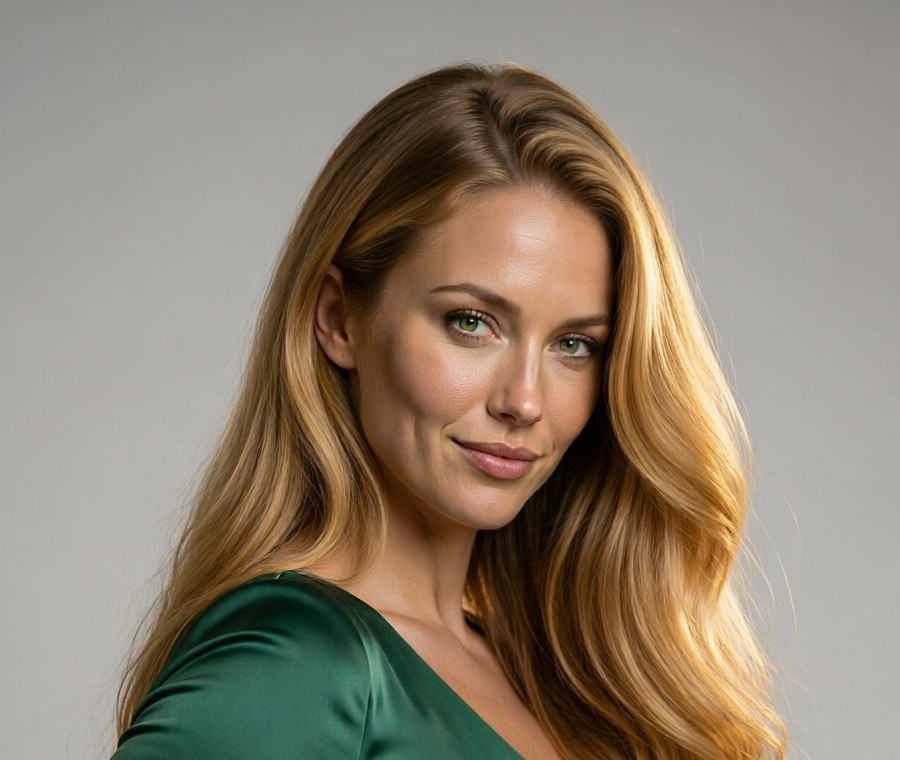
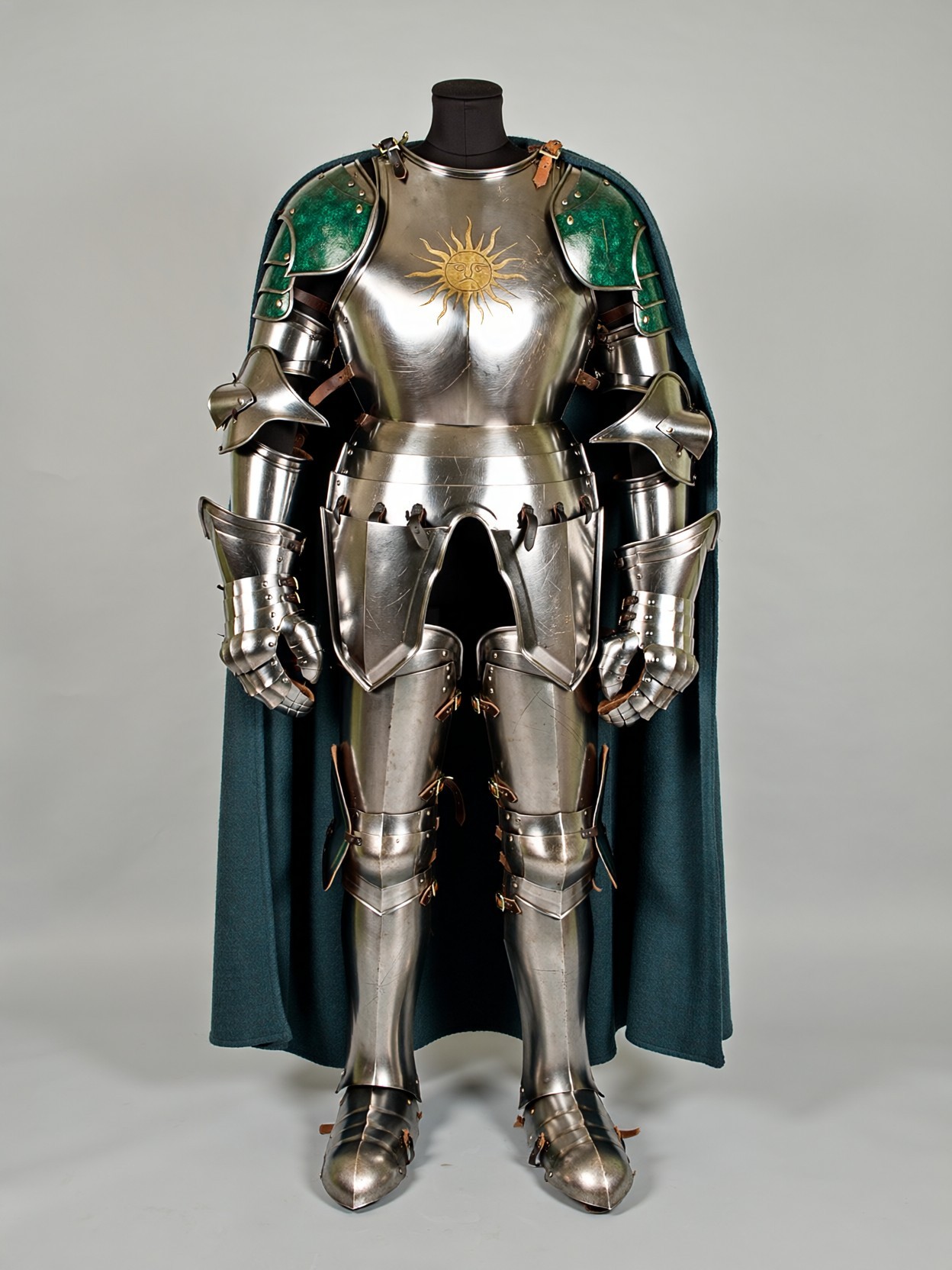
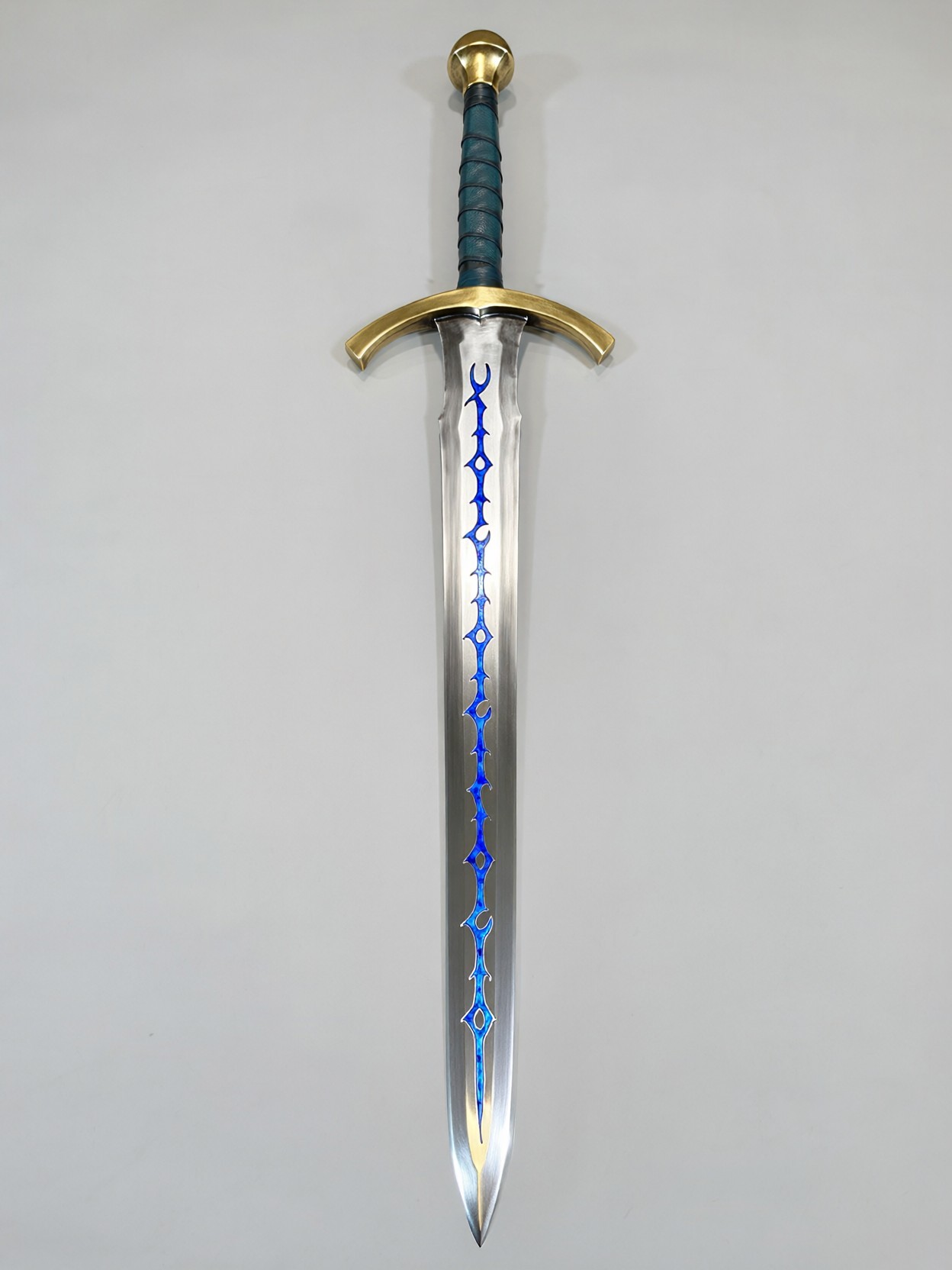
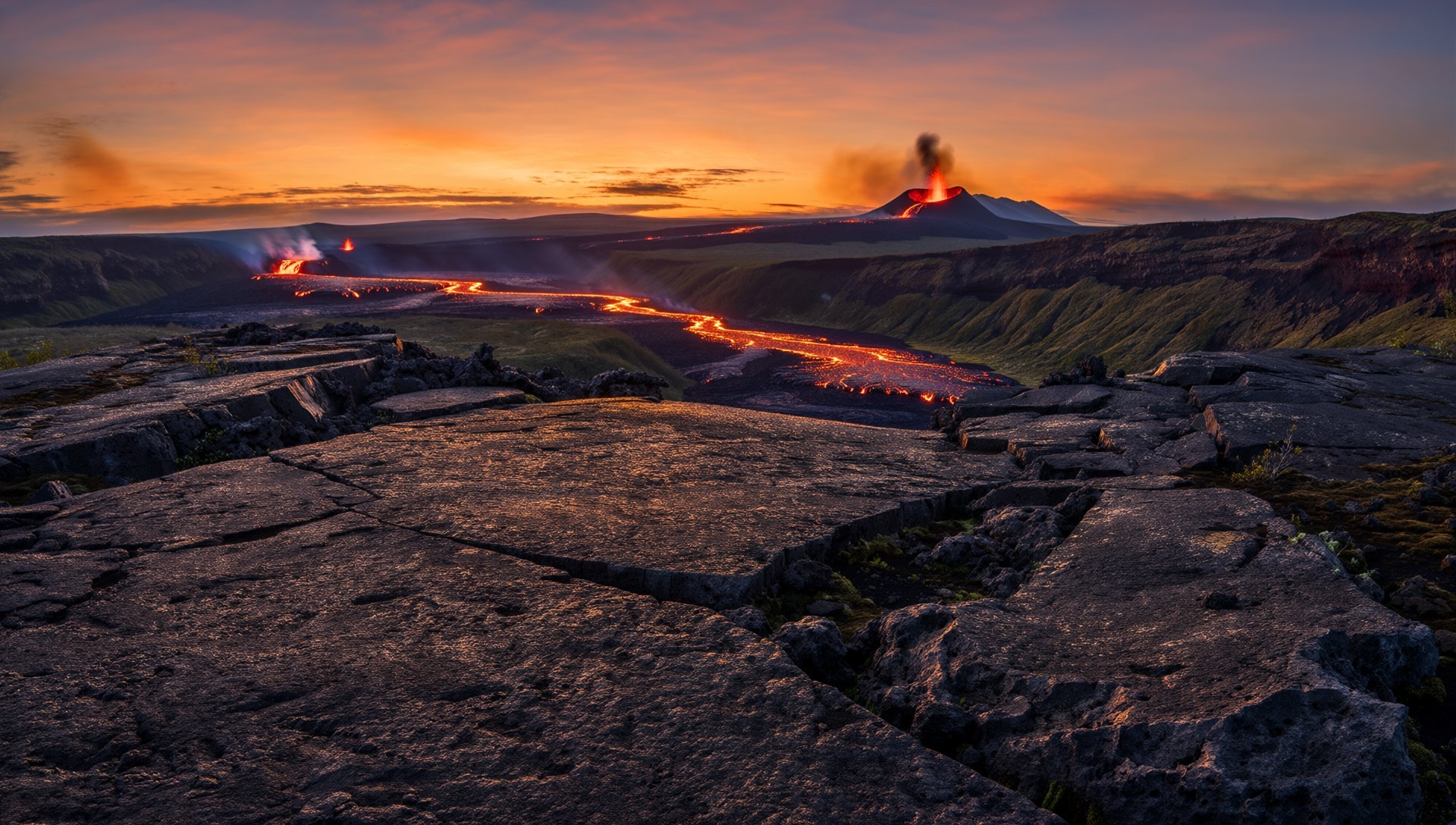
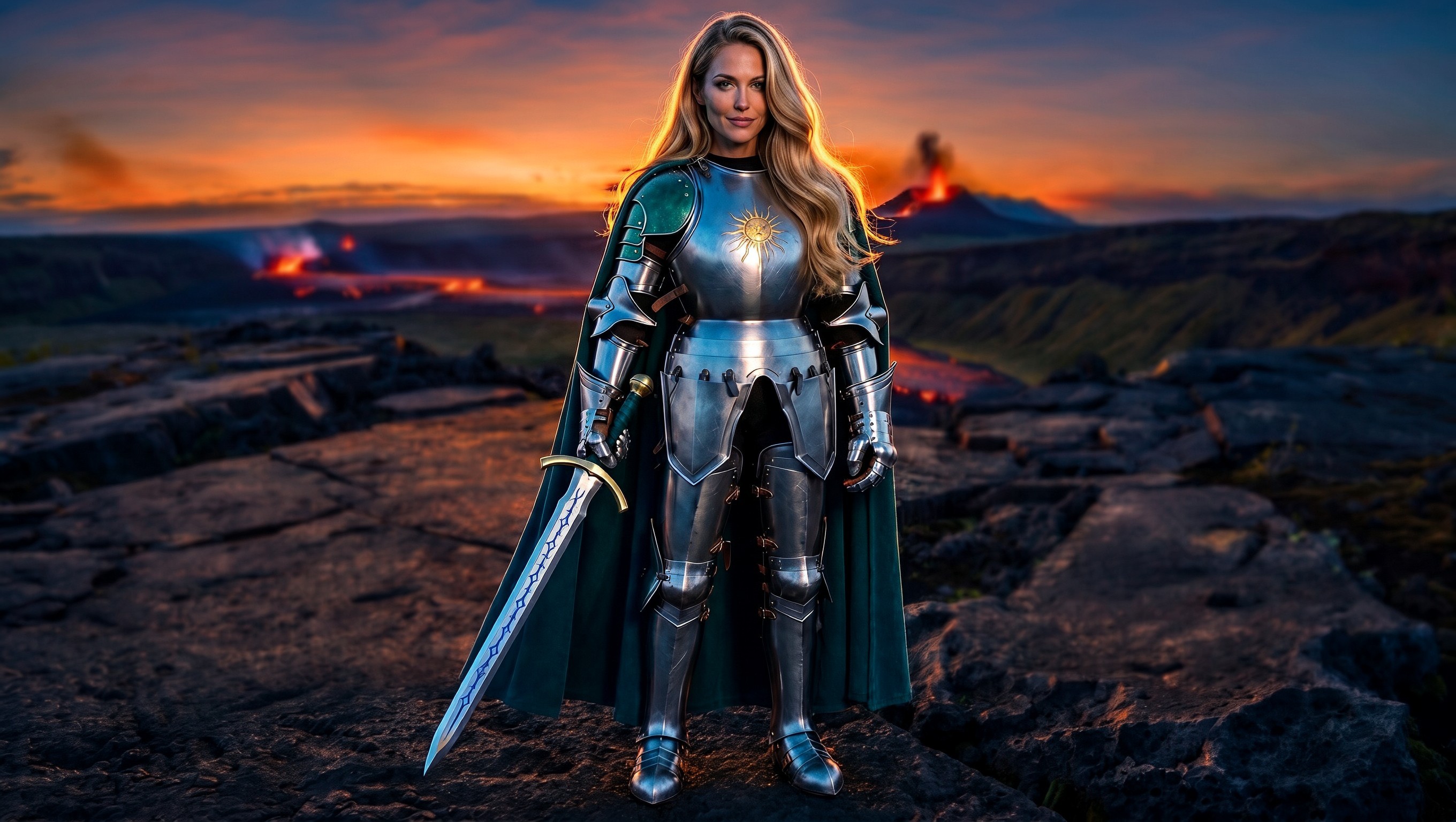
4 references · 2K · 16:9 · 1 output · seed 688701903372661
Exact prompt — Minimax H3 Image Edit
Create one photorealistic cinematic photograph. The SAME adult woman from Picture 1 stands confidently on the dark basalt plateau of the volcanic landscape from Picture 4. She wears the complete silver plate armor from Picture 2: emerald green shoulder pauldrons, golden sun emblem on the breastplate, dark teal cloak. She holds exactly the sword from Picture 3 in her right hand, blade pointing down, blue rune inlay and gold crescent crossguard visible. Keep her exact face, green eyes, natural skin texture and very long flowing golden blonde hair from Picture 1, worn loose over the armor. Lighting: warm orange rim light from the lava behind her and cool blue twilight on the front. The armor is physically worn and fitted to her body: correct scale for her slim frame, plates following the curve of her shoulders, chest, waist and hips, visible leather straps and buckles, the weight of the pauldrons resting on her shoulders, contact shadows where plates overlap and where the armor meets her neck. The cloak hangs naturally from under the pauldrons with soft heavy folds. Her very long golden hair falls over the pauldrons and down the cloak, with strands casting soft shadows on the steel. It is one continuous real photograph, not a composite: the same light source, color temperature and color grade on her face, hair, armor and the background, reflections of the surroundings visible in the polished steel, natural camera depth of field with the background slightly soft, her feet firmly planted with contact shadows on the ground. Natural anatomy, her gloved right hand firmly gripping the sword hilt. Confident, alluring gaze toward the camera. Full body, medium-wide view. Exactly one person, no text.
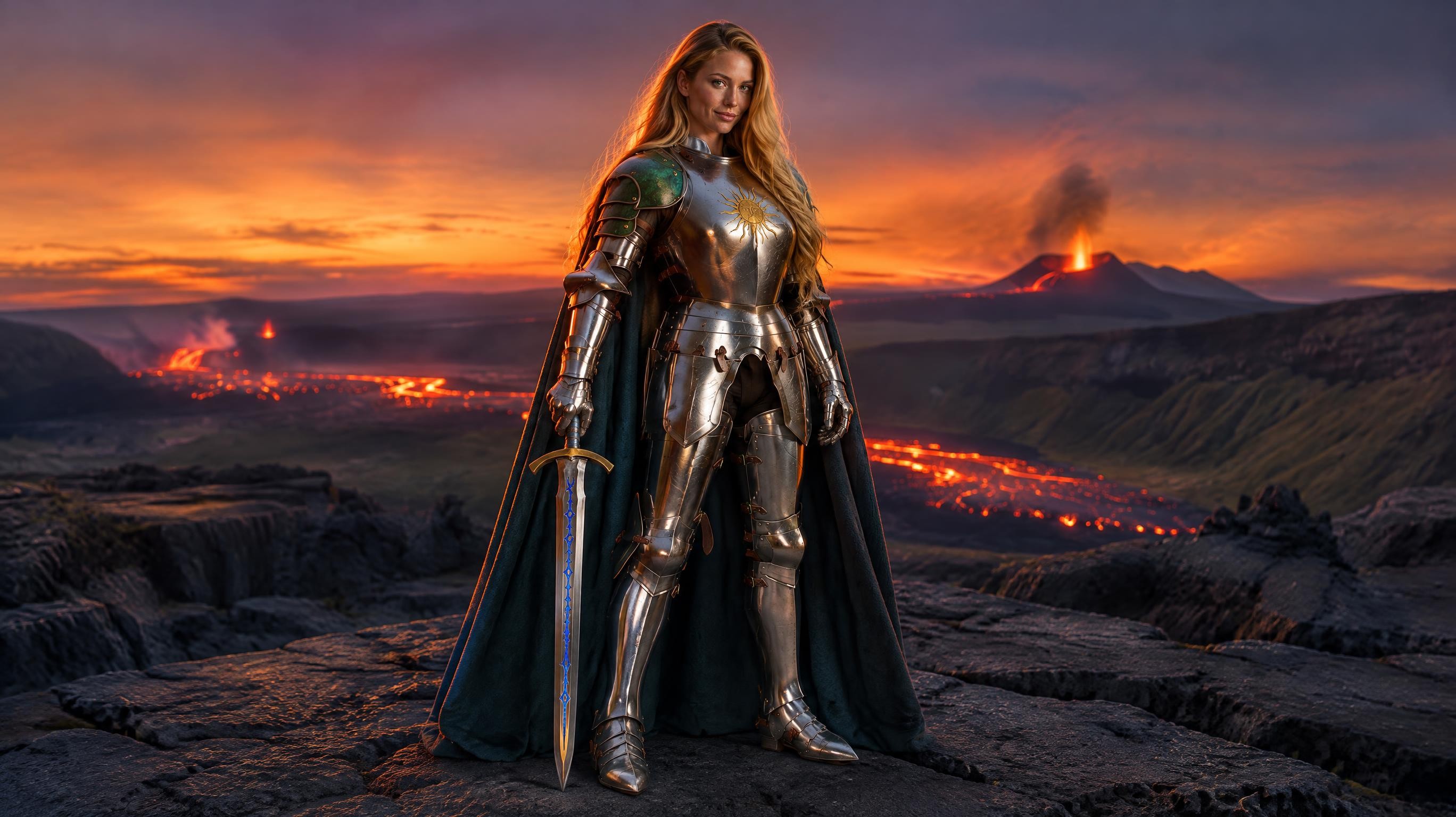
4 references · Medium · 2K · 16:9 · 1 output
Exact prompt — GPT 2.6 Image Edit
Create one photorealistic cinematic photograph. The SAME adult woman from Picture 1 stands confidently on the dark basalt plateau of the volcanic landscape from Picture 4. She wears the complete silver plate armor from Picture 2: emerald green shoulder pauldrons, golden sun emblem on the breastplate, dark teal cloak. She holds exactly the sword from Picture 3 in her right hand, blade pointing down, blue rune inlay and gold crescent crossguard visible. Keep her exact face, green eyes, natural skin texture and very long flowing golden blonde hair from Picture 1, worn loose over the armor. Lighting: warm orange rim light from the lava behind her and cool blue twilight on the front. The armor is physically worn and fitted to her body: correct scale for her slim frame, plates following the curve of her shoulders, chest, waist and hips, visible leather straps and buckles, the weight of the pauldrons resting on her shoulders, contact shadows where plates overlap and where the armor meets her neck. The cloak hangs naturally from under the pauldrons with soft heavy folds. Her very long golden hair falls over the pauldrons and down the cloak, with strands casting soft shadows on the steel. It is one continuous real photograph, not a composite: the same light source, color temperature and color grade on her face, hair, armor and the background, reflections of the surroundings visible in the polished steel, natural camera depth of field with the background slightly soft, her feet firmly planted with contact shadows on the ground. Natural anatomy, her gloved right hand firmly gripping the sword hilt. Confident, alluring gaze toward the camera. Full body, medium-wide view. Exactly one person, no text.
What we see: both keep a recognizable face, the armor and the setting. H3 gives a strong lava rim light but a stiffer, slightly “placed” figure, and the hand does not close fully around the hilt. GPT 2.6 fits the armor and integrates the figure more naturally, though its sword grip lost the teal wrap of the reference.
Price: H3 costs 15 credits at 2K however many references you add. GPT 2.6 costs 185 here: 125 for Medium at 2K plus 4 references × 15. That is about 12 times more per image.
The palace scene is in the Minimax H3 guide; there H3 works in two edits, 30 credits.
The H3 image was selected from five H3 outputs made with different reference and prompt setups; GPT 2.6 was run once. Both are shown unretouched, resized for the web — real outcomes, not a benchmark or a guarantee. All people shown are AI-generated adults. Picture 1 is cropped from a portrait generated on Proxima with Qwen 2.1 and a realism LoRA; the other references were also generated with Qwen 2.1. Credits cover the edit only.
Where to Click on Proxima
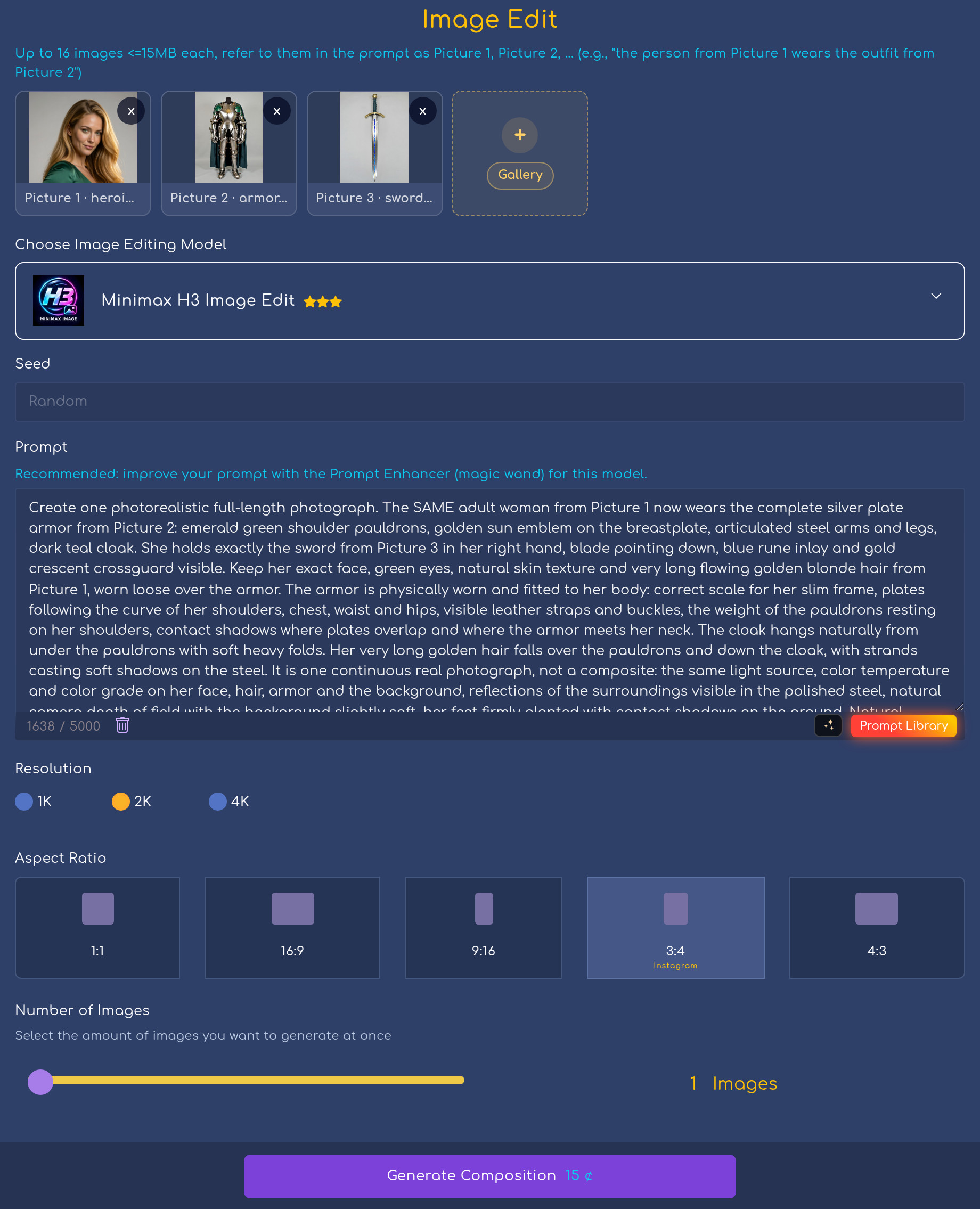
Create → Images / Video → Magic → Image Edit → Choose Image Editing Model → Minimax H3 Image Edit → add the photo → write the prompt (or use the magic wand) → choose 1K, 2K or 4K → Generate Composition. The result lands in your gallery, ready to animate in Video Pro.
How to Edit a Photo with a Text Prompt: Change the Background, Clothes and Pose with AI FAQ
Can I edit a photo just by typing what I want?
Yes. In Proxima's Image Edit tool you upload a photo and write the change in plain words, for example "Change the background to a snowy village at dusk. Keep her face and clothes the same." The model edits the photo and saves the result in your gallery.
How do I change the background of a photo with AI?
Use a prompt like "Change the background to [new place]. Keep the person's face, hair, clothes, pose and framing exactly the same." Minimax H3 Image Edit does this for 15 credits at 2K.
How do I change clothes in a photo with AI?
Write "Change only the [garment] to [new garment]. Keep the character, face, hair, pose, background and composition unchanged." To copy a real garment, add its photo as Picture 2 and write "wears the jacket from Picture 2".
Can AI change the pose of a person in a photo?
Yes. Describe the new pose and action, for example "now sits on a park bench holding a coffee cup", and list the identity details to keep. Minimax H3 Image Edit redraws the scene around the new pose while keeping the face and outfit.
Which model is best for text-based photo editing?
Minimax H3 Image Edit for most edits: high quality, up to 16 references, 8 to 30 credits, no strict content filter. GPT 2.6 Image Edit is a premium option for detailed instructions, and MOSS Image Edit is the backup for single changes other models refuse.
How much does it cost?
Minimax H3 Image Edit costs 8 credits at 1K, 15 at 2K and 30 at 4K; MOSS Image Edit 15 credits; GPT 2.6 Image Edit from 80 credits for a Medium 1K edit with one reference. Eligible accounts receive a daily top-up to 100 free credits.
Why did the face or background change when I only asked for new clothes?
Whatever the prompt does not protect may change. Add a "Keep…" sentence listing the face, hair, pose, background and composition, and use "Change only…" for the part that should change.