Examples below were generated on Proxima with AI-generated adult subjects. They show individual results, not a quality guarantee. Prices checked on 22 November 2026; the Generate button is authoritative. Confirm your email for the full daily free-credit allowance.
Which AI Image Edit Model to Choose: 14 Models Compared
Short answer: start with Minimax H3 Image Edit — 8 credits at 1K, up to 16 reference images, no strict content filter. Switch to GPT 2.6 Image Edit (premium) when you need a detailed result or text inside the image, to MOSS Image Edit for a small change other models refuse or get wrong, and to Qwen 2.1 Image Edit when you want a LoRA style.
Quick Picks by Task
| Your task | Model | Credits per image | Max references |
|---|---|---|---|
| Change clothes, background or pose, cheaply | Minimax H3 Image Edit | 8 / 15 / 30 | 16 |
| Combine a person, outfit, products and a place | Minimax H3 Image Edit | 15 at 2K | 16 |
| Keep the same face in a new scene | Minimax H3 Image Edit | 15 at 2K | 16 |
| Exact instruction following, small details | GPT 2.6 Image Edit Premium | 65 + 15 per reference | 16 |
| Signs, labels and other text in the picture | GPT 2.6 Image Edit Premium | 65 + 15 per reference | 16 |
| One small change that other models refuse | MOSS Image Edit | 15 | 2 |
| A LoRA style or look | Qwen 2.1 Image Edit | 15 (25 native 2K) | 10 |
| Photorealistic identity edit with Krea 2 LoRAs | Krea 2 Image Edit | 25 | 2 |
| Premium quality with fewer content restrictions | Seedream 5 Flash / Pro Premium | 40 / 80 + 5 / 10 per reference | 10 |
| Output up to 4K with premium polish | Nano Banana 2 / Seedream 4.5 Premium | 240 / 100 at 4K | 3 |
All 14 Models Compared
GPT 2.6 needs at least one reference, so its lowest complete edit costs 80 credits (65 base + 15 reference). GPT Image 2 Medium starts at 80 with one reference; Seedream 5 Flash at 45, Seedream 5 Pro at 90 and Grok Imagine 2 at 100. LoRA availability depends on the selected editing model; not every library LoRA is compatible.
Prices are per image at the lowest resolution unless stated; every model shows the exact price on the Generate button. "Strict" means the model applies content moderation; Proxima's Terms of Use apply to every model.
| Model | Credits | References | Resolution | Content filter | LoRAs | Access |
|---|---|---|---|---|---|---|
| Minimax H3 Image Edit New | 8 · 15 at 2K · 30 at 4K | 16 | 1K–4K | No strict filter | — | Free credits |
| GPT 2.6 Image Edit New | 65–435 by quality and size, + 15 per reference | 16 | 1K–4K | Strict | — | Subscription |
| MOSS Image Edit New | 15 | 2 | about 1K | Fewer restrictions | — | Free credits |
| Qwen 2.1 Image Edit | 15 · 25 native 2K | 10 | 1K, native 2K | Flexible | Yes | Free credits |
| Krea 2 Image Edit | 25 | 2 | Standard | Flexible | Yes | Free credits |
| Qwen Image Edit 2511 | 25 | 3 | Standard; HD costs 37.5 credits | Flexible | Yes | Free credits |
| GPT Image 2 | 40 Light · 60 Medium + 20 per reference | 10 | 1K–4K | Strict | — | Subscription |
| Flux 3 | 100 · 140 at 1.5K · 200 at 2K | 10 | 1K–2K | Strict | — | Subscription |
| Seedream 5 Pro | 80 · 160 at 2K, + 10 per reference | 10 | 1K–2K | Fewer restrictions | — | Subscription |
| Seedream 5 Flash | 40 · 80 at 2K, + 5 per reference | 10 | 1K–2K | Fewer restrictions | — | Subscription |
| Grok Imagine 2 | 80 · 120 at 2K, + 20 per reference | 5 | 1K–2K | Strict | — | Subscription |
| Grok Imagine | 100 | 3 | Standard | Strict | — | Subscription |
| Nano Banana 2 | 120 · 180 at 2K · 240 at 4K | 3 | 1K–4K | Provider moderation | — | Subscription |
| Seedream 4.5 | 70 · 100 at 4K | 3 | up to 4K | Provider moderation | — | Subscription |
The New Three, Side by Side
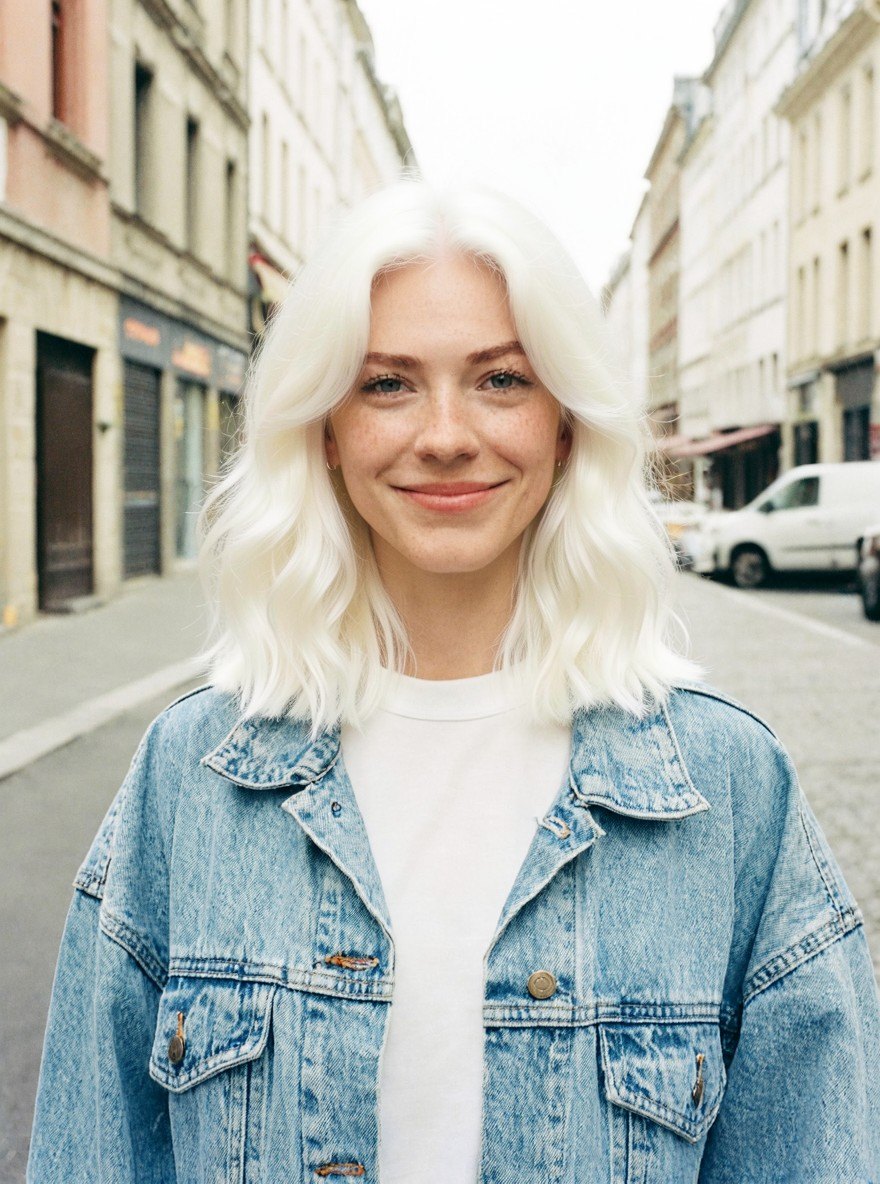
The same photo and the same instruction in Minimax H3, GPT 2.6 and MOSS:
Prompt: Change only the denim jacket to a red leather biker jacket. Keep the character, face, hair, white t-shirt, pose, background and composition unchanged.
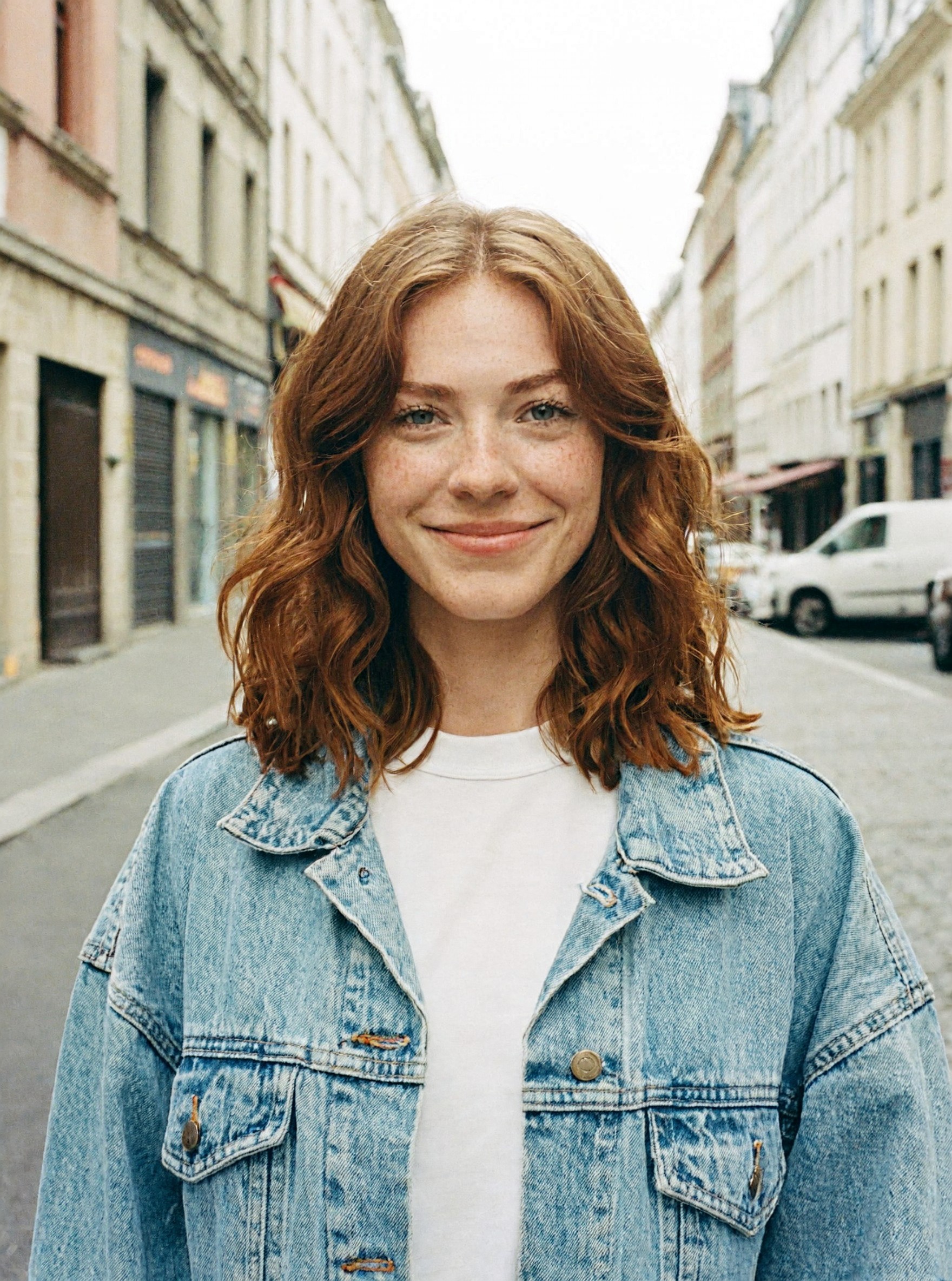
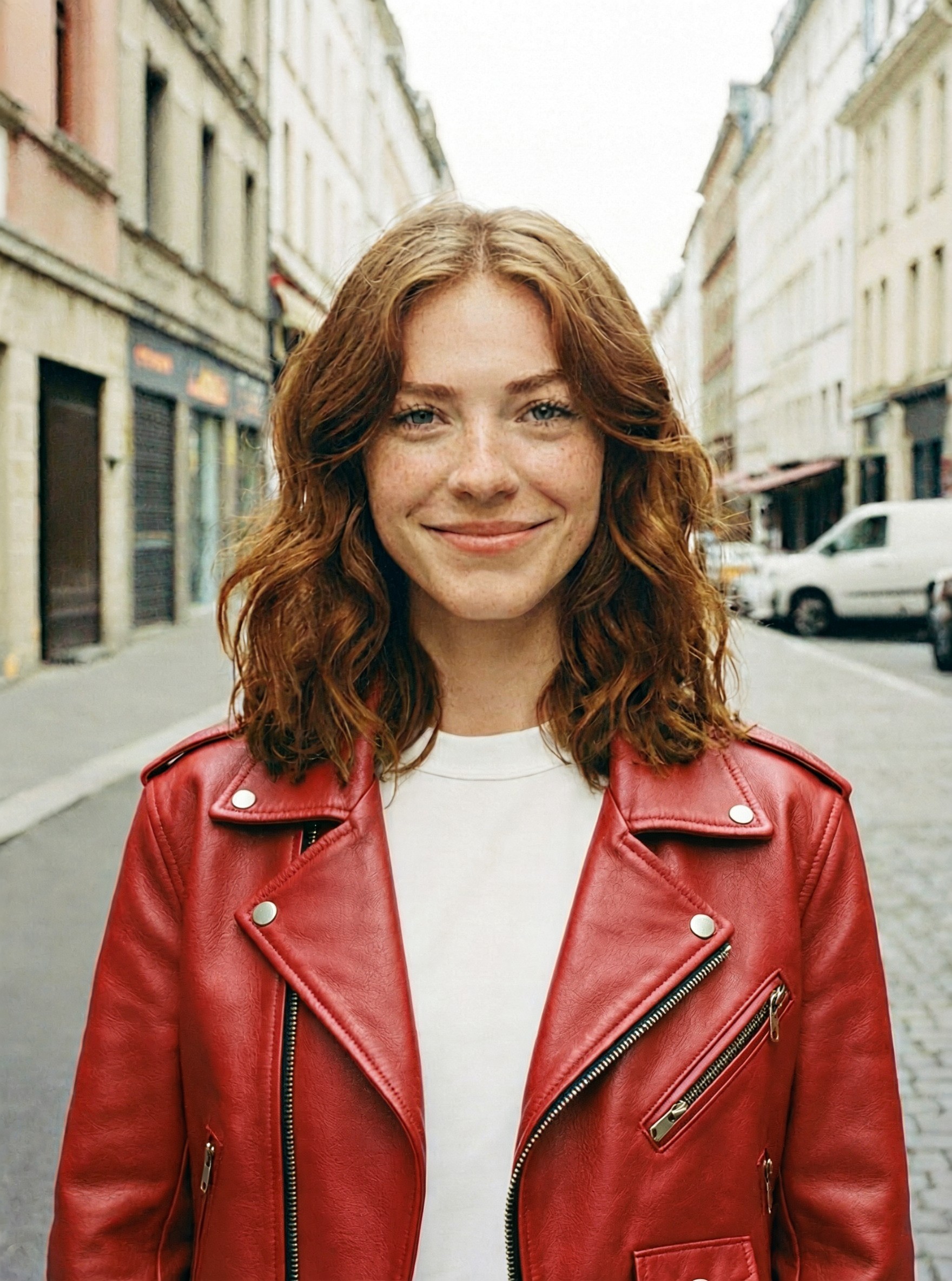
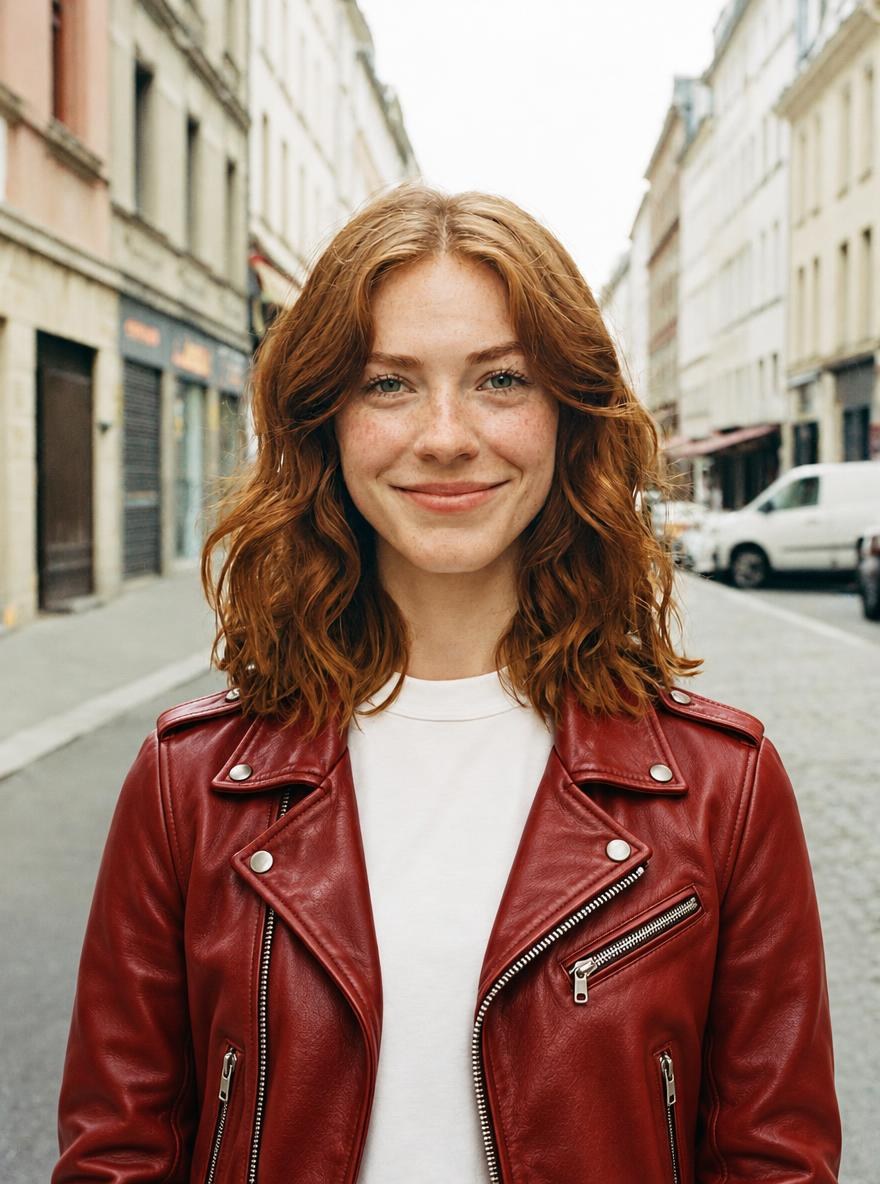
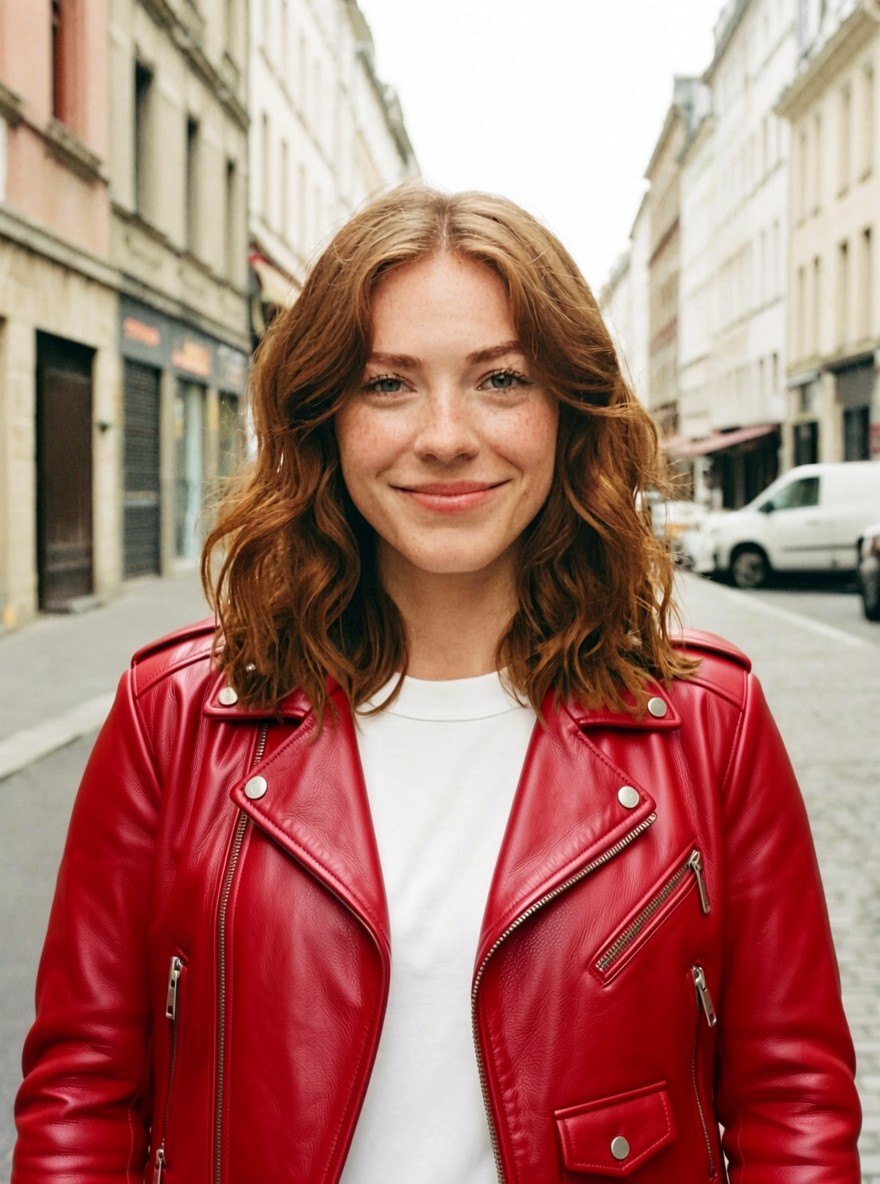
Minimax H3 Image Edit — the default choice
A low-cost starting point, up to 16 references with no surcharge, 1K to 4K and no strict content filter. The magic wand turns a short instruction into a detailed prompt based on your images. Read the Minimax H3 guide.
GPT 2.6 Image Edit — detailed instructions
Choose it when every detail matters or the picture needs readable text. Medium quality costs 65 credits at 1K, 125 at 2K and 205 at 4K; High 75, 155 and 245; xHigh 135, 275 and 435 — plus 15 credits per reference image, one image per run. It applies strict content moderation and needs a subscription.
MOSS Image Edit — when the others say no
MOSS has fewer content restrictions and handles single, clear changes well. Its output is about 1K in the shape of your first image and the quality is below Minimax H3, so keep it as the backup: 15 credits, up to 2 references. Best phrasing: "Change only the X to Y. Keep the character, face, hair, pose, background and composition unchanged."
The Other Models in Short
- Qwen 2.1 Image Edit — the LoRA workhorse: up to 10 references, native 2K option, compatible Proxima LoRAs. 15 credits.
- Krea 2 Image Edit — photorealistic identity-preserving edits with Krea 2 LoRAs and a Reference Boost slider. 25 credits.
- Qwen Image Edit 2511 — precise object insertion and removal and background changes, with LoRAs. 25 credits.
- GPT Image 2 — strong prompt adherence and text; Light mode is the cheapest premium edit at 40 credits.
- Flux 3 — Black Forest Labs' editor for composition and style from up to 10 references.
- Seedream 5 Pro and Flash — ByteDance editors with legible text and fewer content restrictions than most premium models.
- Grok Imagine 2 and Grok Imagine — xAI's editors for photorealistic and stylized transformations.
- Nano Banana 2 — Google's editor that is designed to respect composition, lighting and style, up to 4K.
- Seedream 4.5 — ByteDance's professional editor with 4K output.
Multi-Reference and Multi-Character Compositions
Compare Minimax H3 and GPT 2.6 side by side. The volcano pair uses the same four references and prompt, one edit each: 15 credits for H3 against 185 for GPT 2.6 (125 for Medium 2K + 4 × 15 for references), about 12 times more. In the palace pair H3 needed two edits, 30 credits, so GPT 2.6 cost about 6 times more. GPT 2.6 fits armor more naturally in both and, in the palace scene, keeps the face closer to the portrait. The H3 images were selected from several variants; GPT 2.6 was run once per scene.
H3 also made our three-person composition from four references. It supports up to 16 references; MOSS accepts only two, so it cannot use four references in one edit.
How to Switch Models
In Create → Images / Video → Magic → Image Edit, open Choose Image Editing Model and pick another model. Your references and prompt stay; the form shows the new model's reference limit, resolutions and price. Premium models carry a Premium badge and need a subscription.
Which AI Image Edit Model to Choose on Proxima: 14 Models Compared by Quality, Limits and Price FAQ
What is the best AI image edit model on Proxima?
For most people Minimax H3 Image Edit: it costs 8 to 30 credits per image, accepts up to 16 reference images, keeps faces consistent and has no strict content filter. GPT 2.6 Image Edit is a premium option for detailed instructions, and MOSS Image Edit handles small edits other models refuse.
What is the cheapest image editing model?
Minimax H3 Image Edit at 1K costs 8 credits per image, and its reference images are free. MOSS Image Edit and Qwen 2.1 Image Edit cost 15 credits.
Which models accept the most reference images?
Minimax H3 Image Edit and GPT 2.6 Image Edit accept up to 16. Qwen 2.1 Image Edit, GPT Image 2, Flux 3, Seedream 5 Pro and Seedream 5 Flash accept up to 10, Grok Imagine 2 up to 5, and MOSS Image Edit and Krea 2 Image Edit up to 2.
Which image edit models have no strict censorship?
Minimax H3 Image Edit and MOSS Image Edit have no strict content filter, and Qwen 2.1 and Krea 2 with Proxima LoRAs are flexible too. Among premium models, Seedream 5 Pro and Seedream 5 Flash have fewer restrictions. GPT 2.6, GPT Image 2, Flux 3, Grok Imagine 2 and Grok Imagine apply strict moderation. Proxima's Terms of Use apply to all of them.
Which model is best for text inside an image?
GPT 2.6 Image Edit, a premium model, can generate lettering — signs, labels, posters. Seedream 5 Pro and GPT Image 2 are good alternatives.
Which models support LoRAs?
Qwen 2.1 Image Edit, Krea 2 Image Edit and Qwen Image Edit 2511 can use LoRAs from the Proxima library. The other editing models work without LoRAs.
Which models need a subscription?
GPT 2.6 Image Edit, GPT Image 2, Flux 3, Seedream 5 Pro, Seedream 5 Flash, Grok Imagine 2, Grok Imagine, Nano Banana 2 and Seedream 4.5. Minimax H3, MOSS, Qwen 2.1, Krea 2 and Qwen Image Edit 2511 work with free daily credits or a credit pack.
Why does a premium model cost more with more references?
Some premium models charge per reference image: GPT 2.6 adds 15 credits per reference, GPT Image 2 in Medium mode 20, Grok Imagine 2 20, Seedream 5 Pro 10 and Seedream 5 Flash 5. Minimax H3 does not charge for references. The Generate button always shows the total.