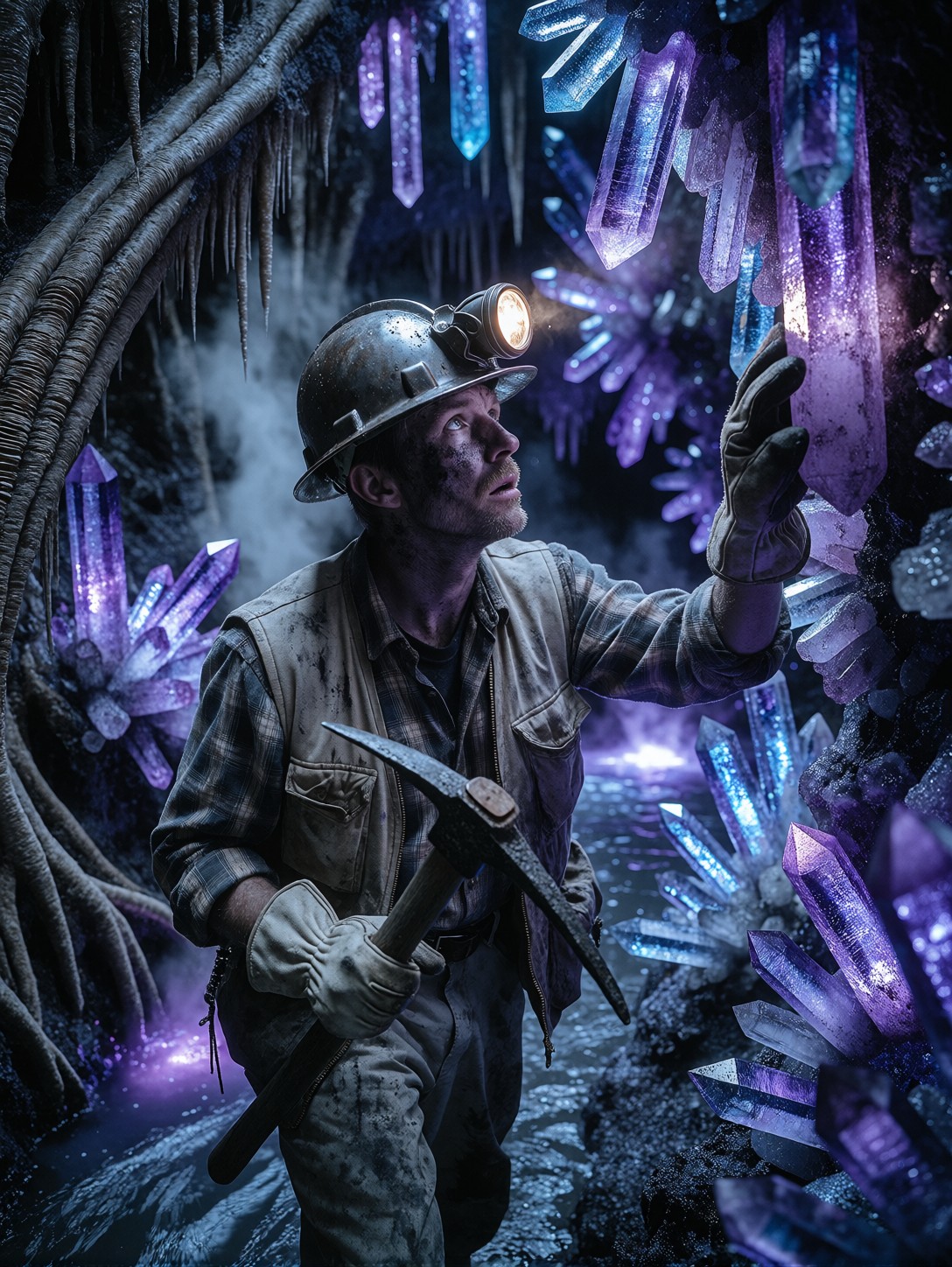

Grime, Glow, and Geological Wonder: How This Deep-Earth Scene Works
A dented helmet catching the flicker of a dying headlamp against walls of towering violet crystals creates an immediate visual tension between industrial grit and otherworldly beauty. Proxima Aurelia 2 excels at exactly this kind of contrast, using its advanced composition engine to balance heavy foreground textures like sweat-streaked grime and canvas fabric with the ethereal diffusion of cave steam and bioluminescent rock formations. The shallow depth of field naturally pulls focus to the miner’s exhausted expression while letting the fossilized roots and glowing river dissolve into a painterly backdrop.
The rich violet-blue lighting does more than set a mood; it acts as the primary light source, wrapping the subject in cool highlights that make the warm tones of his plaid shirt and skin pop. This interplay between harsh physical labor and surreal geological discovery is what gives the image its narrative weight.
Concept Art, Book Covers, and Character Portfolios
This composition is tailor-made for visual developers who need to establish atmosphere in a single frame. Independent game studios use this format for character sheets that hint at world-building, while fantasy-sci-fi publishers rely on the same balance of textural realism and glowing environment details for paperback covers. If you're pushing this into a wide environment layout, switch to a 16:9 aspect ratio so the cavern's verticality expands into a proper landscape rather than feeling cramped. Keep the original 3:4 framing when the character's reaction is the story.
Settings for Proxima Aurelia 2 — Balancing Glow and Texture
Aurelia 2 thrives on intelligent composition and rich visual storytelling, but glowing elements like crystal clusters can easily oversaturate or flatten depth if guidance is pushed too far. Keep the model's aesthetic instincts grounded by staying within its sweet spot for light diffusion.
- CFG / Guidance:
3.5–4.0— high enough to lock the crystalline structures, low enough to prevent clipping on the headlamp and river glow - Steps: 25–30 for full creative mode; 12 steps work fine if you're only testing framing
- Resolution:
1080×1440(3:4) for character focus, or1344×768(16:9) for environmental storytelling
When Aurelia 2 handles complex lighting like this, stepping down the CFG slightly (3.5) allows the violet glow to bleed naturally into the air particles rather than burning out the midtones.
Applying the Midjourney-Style LoRA
- Midjourney-Style Rendering at
75— amplifies Aurelia 2's natural polish, injecting cinematic contrast and micro-texture into the rock walls and fabric without flattening the atmospheric fog
Stick to the 70–80 range; pushing it past 85 will force Midjourney's signature glossy rendering onto the grime, making the miner look artificially clean rather than physically spent.
Five Ways to Push the Deep-Earth Explorer Further
Targeted Variations for the Cavern Miner Prompt
- Shift the geology: Replace "glowing purple and blue crystals" with "molten copper geodes and obsidian spires, heat haze distortion" — the cool cavern instantly becomes a volcanic forge, shifting the color temperature to intense oranges and deep blacks
- Upgrade the tech: Swap the dented helmet and flickering headlamp for a sleek cybernetic visor with HUD overlays and a plasma pickaxe — the prompt transforms from dark fantasy into hard sci-fi without losing the exhaustion narrative
- Expand the scale: Change "medium shot" to "wide environmental shot, floor covered in bioluminescent fungi, floating spore clouds, 16:9" — loses character intimacy but gains a massive sense of geological depth
- Add mythological weight: Introduce "ancient carved monoliths half-buried in the rock face, dust motes catching shafts of pale light" — turns a mining discovery into an archaeological revelation
- Change the time of day: Add "subterranean twilight, bioluminescent moss climbing the cavern walls, cool mist rolling off the river" — enhances the ethereal quality while keeping the industrial gear intact
Two Prompts Ready to Generate
Apply two of the variations above directly — both are tuned for Aurelia 2 at the settings recommended above.
Variation: volcanic forge aesthetic — cool violet glow replaced by molten copper and obsidian, heat haze intensifies the industrial tension
Dark Fantasy Sci-Fi Character Design. A lone miner stands in a vast volcanic cavern filled with towering molten copper geodes and obsidian spires, heat haze distortion shimmering around him. He wears a dented metal helmet with a flickering headlamp, stained canvas vest over plaid shirt, heavy work gloves. One hand holds a pickaxe, the other rests on a raw glowing crystal wall. Face smeared with soot, eyes wide with awe and exhaustion, steam rising from a molten river below, realistic skin texture with grime and sweat, intricate rock details, rich orange-black lighting, medium shot, 8K, shallow depth of field
Variation: hard sci-fi upgrade — cybernetic visor and plasma pick replace industrial gear, neon circuit patterns emerge in the rock walls
Sci-Fi Character Design. A lone deep-core engineer stands in a vast subterranean cavern filled with towering clusters of neon-blue crystalline formations. He wears a sleek cybernetic visor displaying data overlays, armored tactical vest over synthetic thermal layers. One hand grips a humming plasma pickaxe, the other rests on a raw crystal wall pulsing with energy. Face illuminated by HUD glow, expression tense and alert, condensation dripping from rock surfaces, intricate tech and geological details, cool cyan lighting, medium shot, 8K, cinematic depth of field
More Dark Fantasy and Gothic Compositions
If you are drawn to Aurelia 2's ability to weave dramatic lighting into character-driven scenes, these related prompts explore similar atmospheric depth through different subjects: