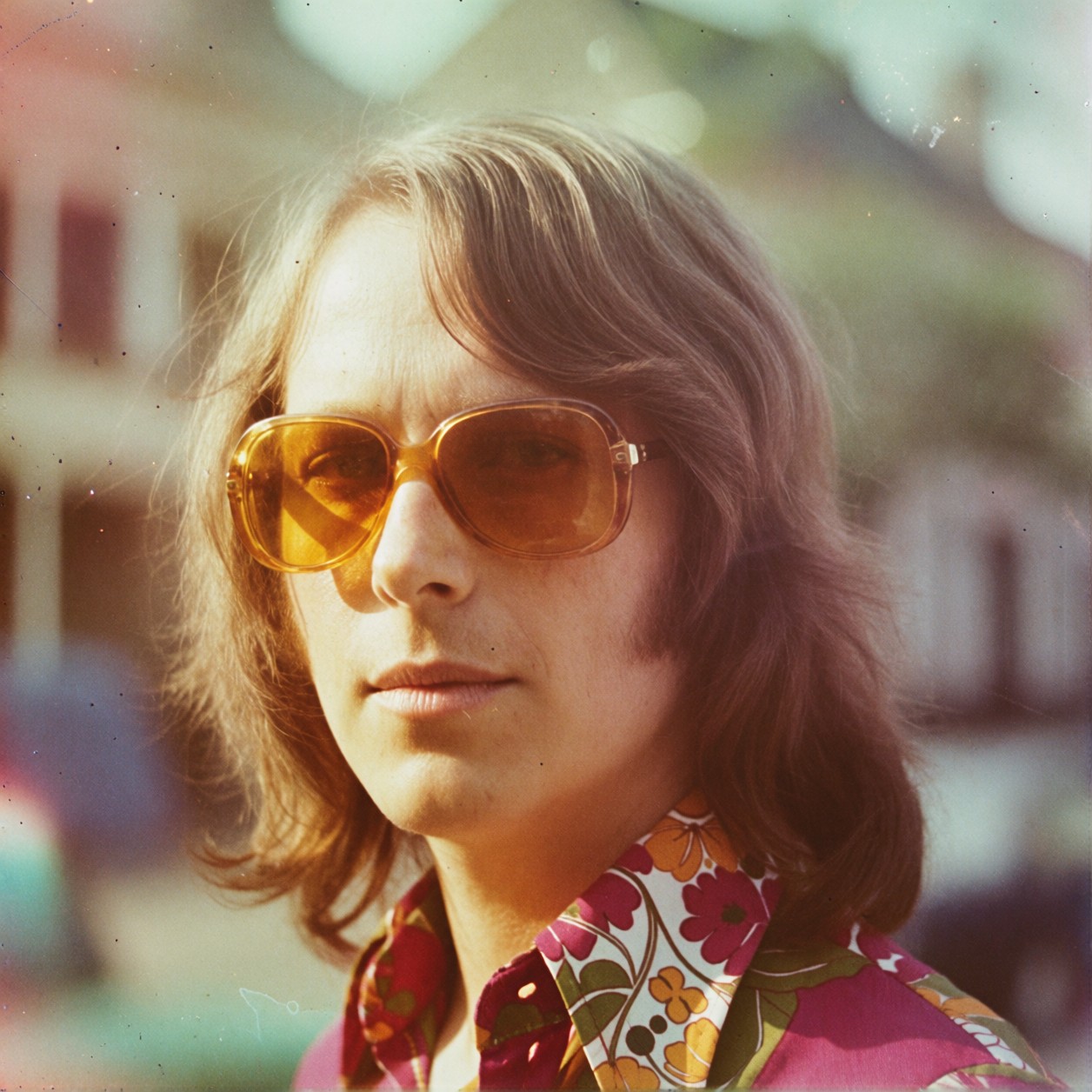

Faded Hues and Analog Grain: Why This Retro Portrait Feels Real
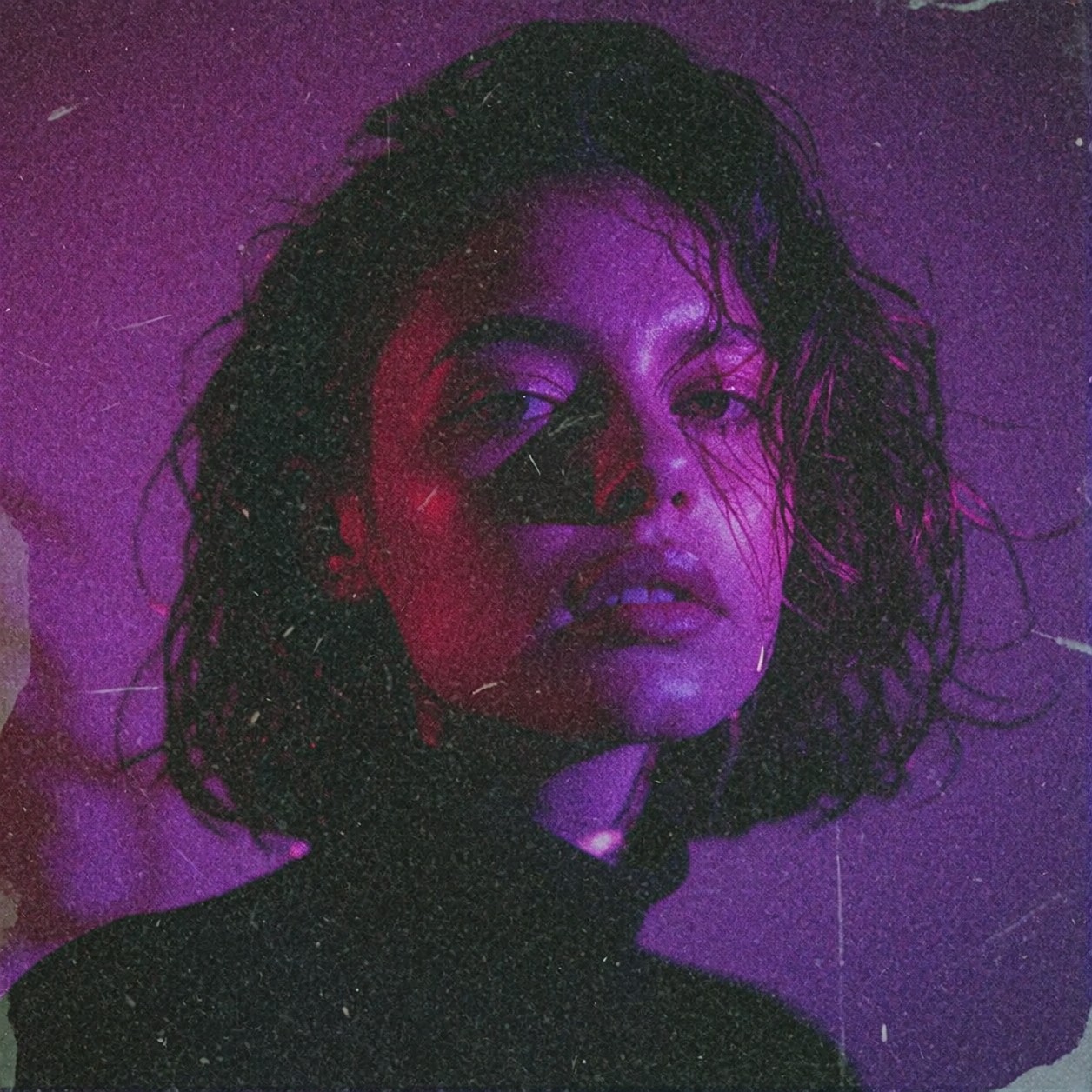
Faded hues and subtle light leaks turn a standard portrait into a memory you almost remember. In this atmospheric vintage portrait, Krea 2 leverages its intelligent style blending to fuse the "nostalgic 1970s aesthetic" with genuine analog textures, avoiding the flat look of digital filters. The soft focus mimics the characteristics of a worn 35mm lens, where edges dissolve gently into warm light rather than snapping into digital sharpness.
The authentic film grain adds physical weight to the image, making the subject feel like they were captured on actual stock decades ago. By combining these elements, the model generates a timeless quality that feels organic and lived-in, perfect for evoking deep emotional resonance in any visual project.
Album Art and Nostalgic Branding
This style of portrait is incredibly versatile for projects requiring an immediate sense of history or warmth. Independent musicians often use this look for album covers to signal a folk, indie, or soul vibe. Similarly, editorial designers can apply this prompt to book jackets or magazine layouts that need to evoke the past without feeling dated.
A square aspect ratio (1:1) or vertical portrait orientation (4:5) works best here. These formats keep the focus on the subject's face and allow the light leaks to frame the edges naturally, like a cherished polaroid in an album.
Settings for Krea 2 — Capturing the Analog Look
Krea 2 excels at delivering stunning visuals across realistic and artistic generations, particularly when blending complex styles. To get that specific "Retro Americana" film look without losing the structural integrity of the subject, precise control over contrast and grain is key.
- CFG / Guidance:
3.0–4.0— Keep this moderate to allow the LoRA's color grading to take full effect without forcing unnatural contrast. - Steps: 20–30 in creative mode ensures the "analog film grain" renders with enough texture to feel real rather than painterly.
- Resolution:
1024×1024for social media or album covers; increase to1024×1368(4:5) if the layout requires more vertical space.
Krea 2's strength in natural composition means you can trust it to place the subject naturally even with heavy aesthetic LoRAs — just ensure your base prompt includes strong directional lighting to complement the film grain.
Using the Retro Americana LoRA
The Retro Americana Film Photography LoRA is set to a weight of 100, meaning it exerts maximum influence over the final image. This is exactly what you want for this specific aesthetic, as the LoRA dictates the warm color grading and vintage tones inspired by amateur photography from the 50s through the 90s.
- Weight 100: Use this when the "vintage" look is the primary goal. The subject might take a backseat to the mood, resulting in heavy color casts and soft edges typical of old film stock.
- Adjusting Down: If you find the colors too saturated or the grain too heavy, drop the weight to
75–85. This preserves the 1970s palette while allowing Krea 2's base model to maintain sharper facial details.
5 Ways to Push This Vintage Portrait Further
Creative Variations for Your Retro Aesthetic
- Shift the Light Leak Color: Change "subtle light leaks" to "vibrant magenta and teal light leaks" — this moves the aesthetic from 1970s Kodachrome to a more modern, abstract film look.
- Increase the Age of the Photo: Swap "1970s aesthetic" with "1940s sepia tones, heavy vignette" — this creates a much starker, high-contrast noir feel.
- Change the Subject Context: Instead of a solo portrait, try "candid shot of a family reunion picnic" — the vintage style works beautifully for group shots that tell a story.
- Add Environmental Texture: Include "blown-out highlights, sun-bleached linen shirt, beach backdrop" — this leans into the vacation photography vibe common in the 80s.
- Make it Editorial: Add "magazine cover layout, bold typography space, high-contrast portrait" — turn the generated image into a striking title card.
Two Prompts Ready to Generate
These two examples apply specific variations from above: one pushes the color palette into a more abstract 80s vibe, while the other shifts the era entirely to a stark 1940s noir.
Variation: Abstract color shift — magenta and teal light leaks replace warm fading for a striking, modern retro look
Atmospheric vintage portrait with vibrant magenta and teal light leaks, modern retro aesthetic, heavy analog film grain, soft focus lens flare, high contrast colors, bold artistic composition, cinematic lighting, sharp eyes against blurred background
Variation: Noir era shift — 1940s sepia tones and heavy vignette for a dramatic, high-contrast historical drama feel
Dramatic 1940s noir portrait, heavy sepia tones and deep black shadows, intense character study, high contrast lighting, harsh grain texture, vintage film stock look, mysterious atmosphere, classic Hollywood glamour style, sharp details in eyes
More Prompts in This Style
If you enjoy this vintage direction, these related prompts explore other retro aesthetics and atmospheric scenes: